Your site is live but missing from Google. Here’s how to find out why
Neaptide · September 7, 2026 · 9 min read · Updated: October 3, 2026
Check Google indexing step by step: Search Console statuses, noindex, robots.txt and canonical URLs. Includes an example and a downloadable developer handoff.
On this page

The new website loads, the links work, and friends have opened it without trouble. Search for the business or the service, though, and Google shows nothing. Before you rewrite every page or pay for an “instant indexing” service, find out what is happening to one URL that matters.
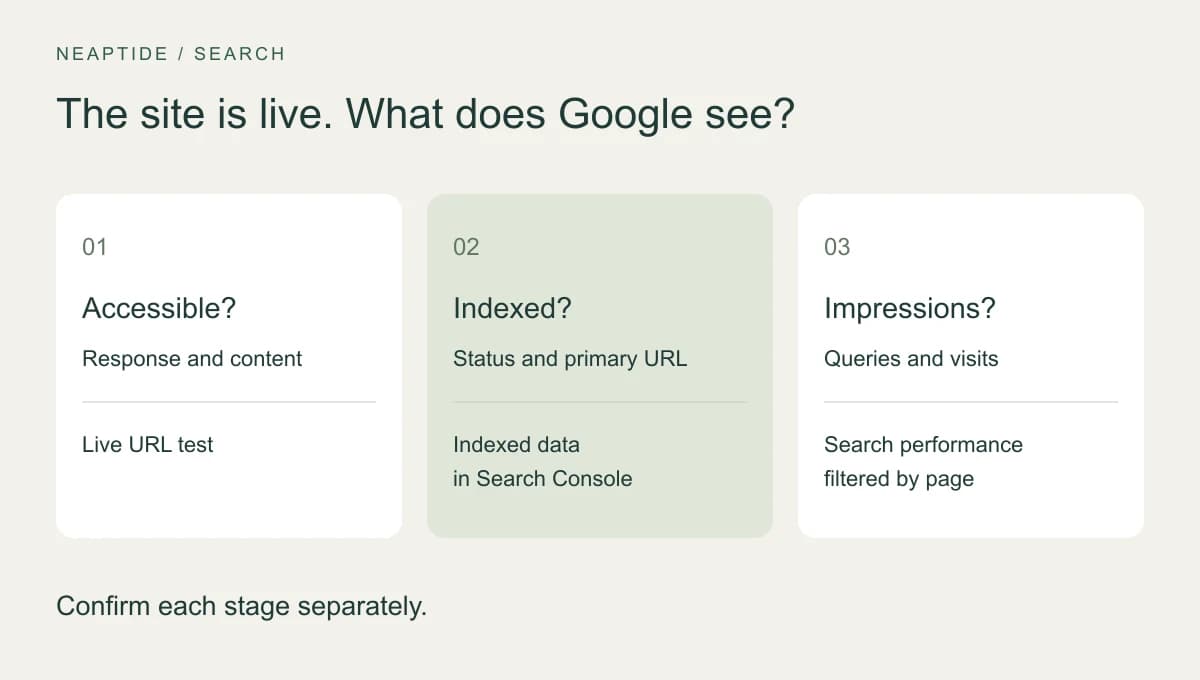
Start with URL Inspection in Google Search Console. If the page is not indexed, find out whether Google knows the address, whether it can open the page, and what reason the report gives. If it is indexed, look at impressions and queries. A working website, an indexed page and visits from search are three different outcomes.
Start with one page and its exact URL
Choose a page that should bring customers to the business: the homepage or a specific service. Copy the final address, the one left in the browser after any redirects. With or without www, http or https, another language, an extra parameter: each can be a different URL to Google. Inspecting the homepage will not tell you what happened to a service page.
- In Search Console, open the verified property for the site and paste the full URL into the inspection bar.
- Note the status, the last crawl date and the Google-selected canonical, which is the URL Google treats as the main one among duplicates.
- If the page has changed since that crawl, run a live test and compare what Google can fetch now with what it has stored.
A live test checks whether Google can currently fetch and process the page. It does not mean that the current version is indexed, and it cannot predict canonical selection. Without Search Console access you can still inspect the public response and the HTML, but the indexing status has to come from the owner of the property.
A site:example.com search is fine for a first look. It is not a full list of indexed pages, so do not read its result count as the size of your index, and do not conclude anything about a missing page from that query alone.
Read the status before choosing a fix
| Status | What it tells you | Next check |
|---|---|---|
| URL is unknown to Google | The URL has not been discovered | A normal link from a site section and the correct URL in the sitemap |
| Discovered — currently not indexed | Google knows the URL but has not crawled it | Server availability, internal links and crawl statistics if many pages are affected |
| Crawled — currently not indexed | A crawl occurred; the page is not indexed | Page content, similar pages and canonical selection |
| Excluded by noindex / blocked by robots.txt | A specific restriction was found | Whether this URL should be indexed and where the rule comes from |
| Duplicate or alternate page | Another version is being used | Whether the selected primary URL is the right one and is indexed |
“Discovered — currently not indexed” says nothing about the quality of the writing, because Google has not crawled the page yet. And excluding a duplicate, a login page or a private exercise is often the right call. Watch the public pages that matter. There is no need to drive every exclusion count down to zero.
Worked example: a working page with noindex left in its template
Picture a pottery workshop that has just launched its website. The classes page is public, returns HTTP 200 and is listed in the sitemap, but the test template it was built from still carries noindex. The example is made up for teaching purposes and does not come from a client site.
HTTP/2 200
Content-Type: text/html

<head>
  <meta name="robots" content="noindex, nofollow">
  <link rel="canonical" href="https://example.com/workshops">
</head>
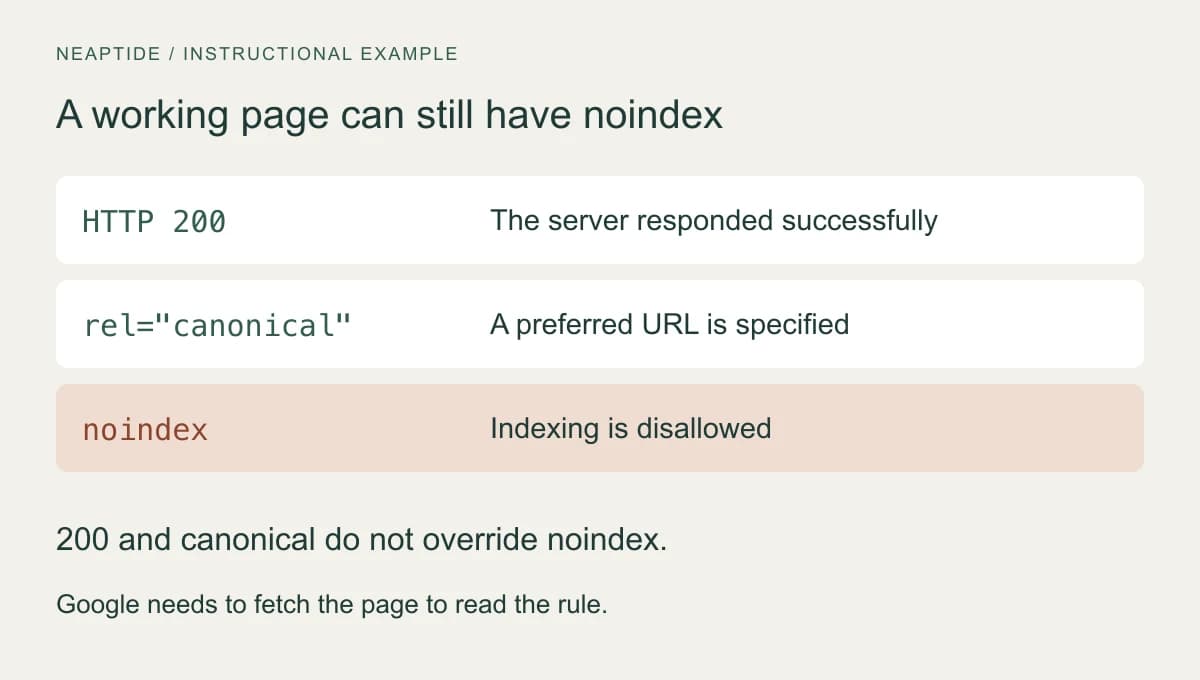
The 200 status means the server answered successfully. The canonical names a preferred URL. Neither overrides noindex: once Google reads that rule, it drops the page from Search. Check beyond the HTML too, since the same restriction can arrive in an X-Robots-Tag HTTP header.
- Find where noindex comes from. It could be a CMS setting, the template, the server or the CDN. If the page is meant to be public, remove the restriction at that source.
- Check what the published URL actually returns: headers, HTML and content. Adding index next to a noindex that is still there fixes nothing.
- Run the live test in Search Console again. With the restriction gone, you can request indexing for the URL.
Do not block the page in robots.txt to stop Google seeing the noindex. Robots.txt controls crawling, and Google has to fetch the page to read the corrected rule. Private and utility pages that are restricted on purpose should stay that way.
No restrictions? Check content and duplicate versions
In URL Inspection, look at the page as Google rendered it. The service name, the terms and the main text should all be there. Google runs JavaScript, so React or any other framework is not an explanation in itself. Look for something specific: an empty content block, a failed data request, a resource that would not load.
Compare the canonical URL the page declares with the one Google selected. A mistake in a shared template can make every service page name the homepage as its canonical, and if that is what you find, the template is the thing to correct. Where pages really are duplicates, use the preferred URL everywhere: internal links, the sitemap, the canonical tag. A declaration is only a preference, which is why the version Google actually chose deserves a look too.
If no technical cause turns up, read the page as a customer would. Three pages called “pottery lessons”, “ceramics classes” and “pottery workshops”, all with the same terms, probably do not answer three different needs. Compare their purpose, content and search data before you merge anything. If the formats really do differ, say how: duration, materials, the experience required, what participants end up making.
Another thousand words added for length will not help anyone decide. A timetable, cancellation terms, real examples of finished work and a clear answer on whether beginners are welcome will do more. That makes the page more useful, though it still does not guarantee that Google will index it.
Next.js pages not indexed: checks before changing the code
On a Next.js website, start with the same URL-level evidence. The framework name or the presence of Client Components does not diagnose an indexing problem. Check the actual response and page content, then trace an observed issue to the route, shared layout or metadata configuration.
| Symptom | Evidence to collect | Next check |
|---|---|---|
| A route is missing from search | Search Console status, last crawl date and the current HTTP response. | Compare the indexed report with the live page. A 200 response alone does not establish indexing. |
| A page looks complete in the browser | The main content and links in the response HTML, then in the rendered DOM. | If meaningful content differs, inspect the data-fetching and rendering path. Google can render JavaScript; identify the actual missing content or resource. |
| Different pages share the wrong title or canonical | Metadata returned by several routes using the same template. | Review the layout, page metadata and URL construction. Verify the deployed output after any change. |
| A new service or article is undiscovered | Internal links, the sitemap and the real URL response. | Check that navigation uses reachable hrefs and that the sitemap lists the intended public URL. Submitting a sitemap is not a promise of indexing. |
| A translated page points to another language | Canonical and alternate links on both language versions. | Check the intended equivalent URLs and return links. Keep language targeting and canonical selection as separate decisions. |
A real check on our own site illustrates the limit of public evidence. On October 3, 2026, all six language versions of the GEO service page returned 200, their own canonical URLs, matching language alternatives and sitemap entries. Their headings were in the initial HTML. We could confirm those controls without Search Console; we could not infer that Google had indexed each page.
Selected values observed on our own site — October 3, 2026

GET https://www.neaptide.ai/en/services/geo
Status: 200
Canonical: https://www.neaptide.ai/en/services/geo
H1: GEO services, with a clear scope and budget.
Alternates: en, ru, fr, es, it, zh, x-default
Sitemap entry: present

Google-selected canonical / indexing status: not checkedIf a metadata change is needed, work against the documentation for the installed Next.js version. For an App Router site, inspect both layout and page metadata and the URL they produce in the deployed response. Fix the source of the inconsistency, then repeat the response and rendered-page checks. Review Google’s status separately after it processes the update.
When the checks leave a question your team cannot resolve, a focused audit can turn it into a reproducible task. Our Next.js service explains the coverage, deliverables and the separate scope for implementation.
The page is indexed, but nobody visits
Open the Search results performance report and filter by the page’s URL. Check the date range, country, device and search type. Look at which queries produced impressions (appearances in search results) and how many clicks they brought. One search on your own phone is no substitute for this data.
- No impressions. Check the filters and the canonical URL, then ask whether the page matches what your audience searches for. Missing data on its own does not point to a cause.
- Impressions but few clicks. Look at the query, the position and the way the result is displayed, all together. A vague title can put people off, and a low position limits visits too.
- Clicks but no enquiries. Check the offer and the route to getting in touch. Send a test enquiry and find it at the receiving end, because a “Sent” message on the site proves little.
Give your developer a problem they can verify
Replace “fix our SEO, we aren’t on Google” with a record for one page. Give its URL, the date you checked, the Search Console status and last crawl date, the server response and any indexing restrictions. Add both canonical URLs, the one the site declares and the one Google selected, and say what should happen instead. Attach the HTML fragment or report screenshot that backs up the finding.
For the workshop example, the fix is accepted when the published classes page is public, returns its real content with HTTP 200, and no longer sends the stray noindex in either the HTML or the headers. A fresh live test in Google finds no such restriction. Write down the date of the change. All of this confirms the fix. It does not yet confirm indexing.
After publishing, watch for a new crawl and for the URL’s status to change. Asking again and again for the same URL will not make Google crawl it sooner. Google promises neither inclusion nor a deadline, which makes “indexed within 24 hours” a poor acceptance criterion.
If the cause is still unclear, hand this record to whoever audits the site, so they have something concrete to start from. Once access and indexing are sorted out, you can turn to content: how fully the site answers customers’ questions in conventional search and in AI answers.