How to use OpenAI Codex: your first task, checked and working
Neaptide · September 6, 2026 · 8 min read · Updated: October 3, 2026
Get started with Codex: choose an interface, open a project, write a useful brief and check the result. Includes sample prompts and a small website project.
On this page

Codex is OpenAI’s coding agent. It can inspect a project, edit files and run checks using the tools available to it. You describe the result you need, then review the changes yourself: does the feature work, are the facts right, and does the rest of the project still behave as it did?
This guide uses a workshop price calculator as a first project. Its advantage is that you can work out the right answer on paper, so you do not need to know how to code to check it. The prices are made up for the exercise. Replace them with your own before using the calculator in a real business.
What can you ask Codex to do?
Pick a task whose outcome you can describe and verify. ‘Show the total for this number of participants using this formula’ gives you something to test. ‘Make the website better’ leaves most decisions unresolved.
- Add a calculator, a catalogue filter or an article’s table of contents.
- Investigate a broken button, invalid form submission or page that stopped loading.
- Explain where a project keeps its content and how to run it.
- Write a script to check links or clean up an export. Try it on a copy of the data first.
A chat is enough for talking through an idea or tidying a paragraph. Codex earns its place when the files in a project have to be read and changed. What it can access depends on the environment, the tools and the permissions you give it.
Choose the app, editor extension or CLI
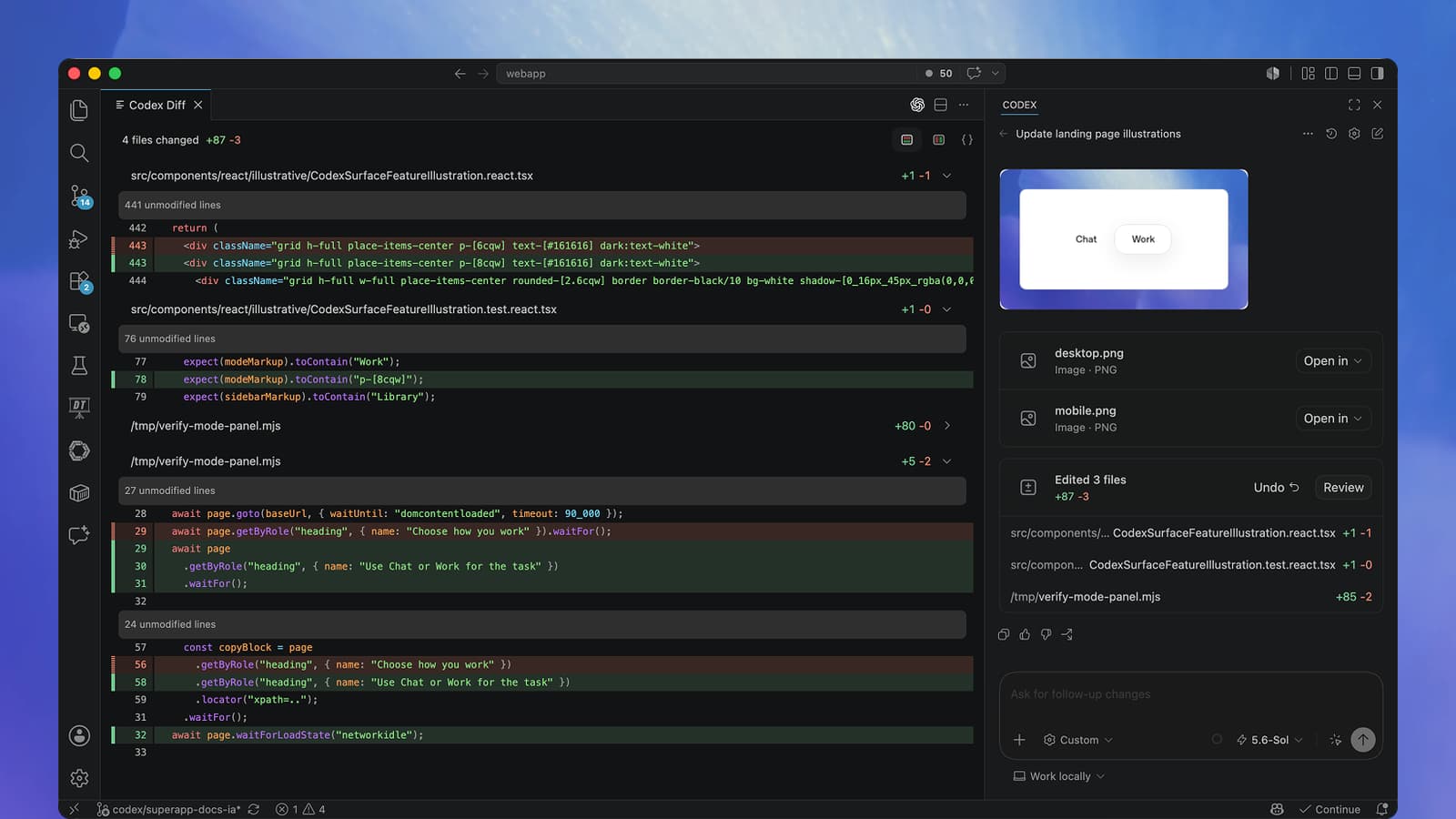
If you are new to coding, start with the desktop app. As of 3 October 2026, the official setup guide tells you to open the ChatGPT desktop app, select Codex from the ChatGPT dropdown and open your project folder. The interface changes between versions, so older screenshots may not match what you see.
- Desktop app: a place to manage a task and work with local project files.
- Editor extension: useful if you already work in a supported code editor and want to review changes alongside the code.
- CLI: runs in your terminal. You do not need it for the exercise below.
Do you need a paid plan?
As of 3 October 2026, OpenAI includes Codex in every ChatGPT plan, Free among them. That does not mean unlimited use: the models and allowances you get vary by plan. If you sign in with an API key, usage is billed separately at API rates.
Try a few real tasks with your current account before paying for a bigger plan. You will soon see whether the limits are enough. Check current prices with OpenAI directly, because a price copied into a guide goes out of date quickly.
First project: a workshop price calculator
Prepare the folder and the numbers
Create a folder called workshop-calculator and open it as a project. If you are experimenting with an existing site, save its current state in Git or make a backup first. For this exercise you only need a base fee, a price per participant and the allowed group size.
Before you start, check which folder is open and what the agent is allowed to do. For this exercise it only needs to create and edit files inside the project. If Codex asks to install software or connect to an external service, find out why: the brief below needs no external dependencies.
Describe the behaviour and expected results
Give Codex the formula, the allowed inputs and the expected totals. In this exercise one participant should cost €155, four should cost €260 and twelve €540. Those amounts let you check its work, and you do not have to choose a framework or dictate every line of code.
Build a workshop price calculator in this folder.

Example pricing:
- base fee: €120;
- €35 per participant;
- whole numbers from 1 to 12 participants;
- total = 120 + 35 × participants.

Include a participant input, the total and an explanation of the formula.
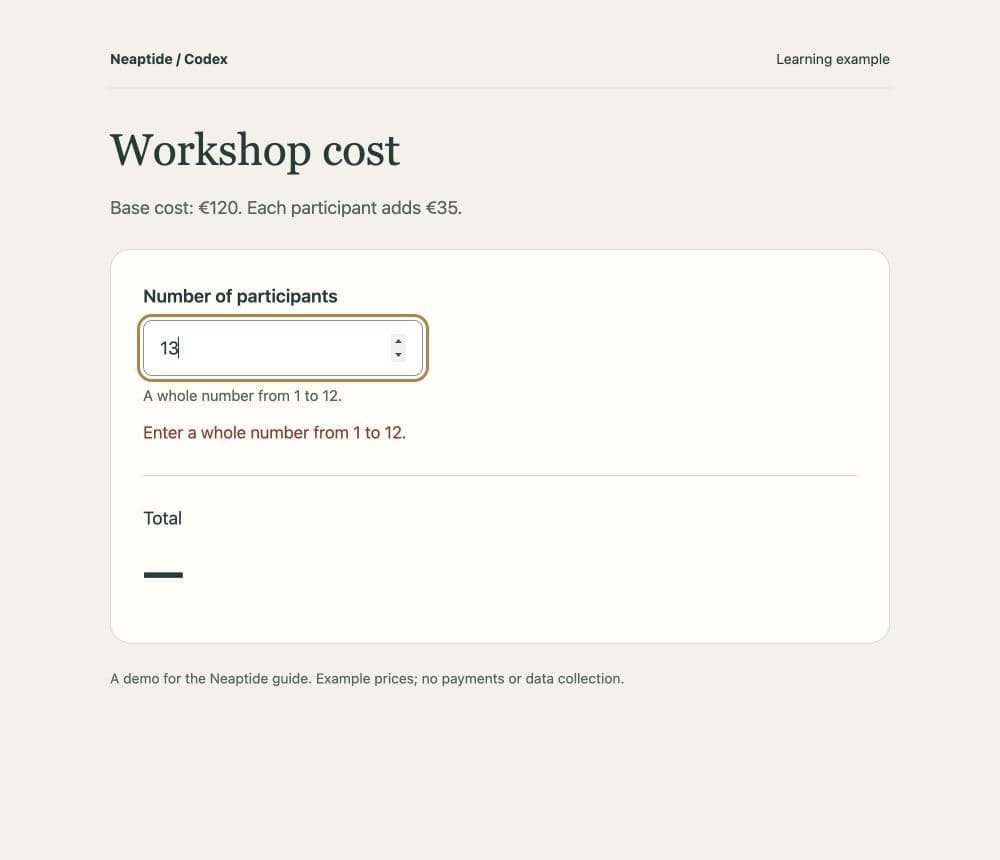
Show a helpful error for an empty field, a fraction, 0 or 13.
Never leave a previous total looking valid when the input is invalid.

Use plain HTML, CSS and JavaScript without external libraries.
Save the page as index.html. It must open without a server or internet
connection and work on a phone and with a keyboard.
Do not add payments, contact collection, analytics or invented reviews.

Check: 1 participant = €155, 4 = €260, 12 = €540.
Explain how to open the page, what you tested and what still needs
manual checking.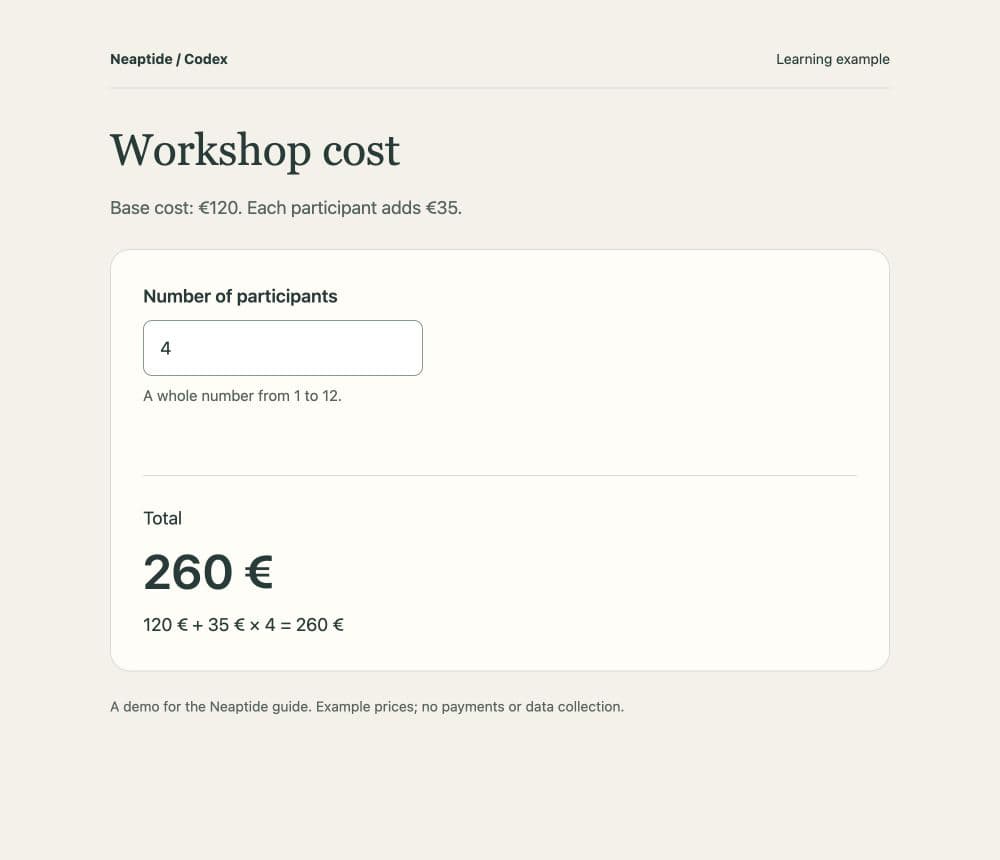
Open the page and check it yourself
Open index.html in a browser and enter 1, 4 and 12 participants. You should see €155, €260 and €540. Then clear the field. If the previous price still looks like a valid result, the calculator needs another fix, even if the agent reported that it was done. Read its report, but run your own checks too.
- Try 0, 13, a fraction and an empty field. Each error should make the next action clear.
- Narrow the window to a phone-sized width. Nothing should require horizontal scrolling.
- Use Tab to move between controls. A visible outline or other indicator should show which control is selected, and you should be able to use the calculator without a mouse.
- Reload and calculate again to check that previous input does not affect the result.
For now the calculator is a local prototype with no public URL. If you later connect it to checkout, the server must validate the price independently, because visitors can alter calculations that run in their browser.
Ask for a specific fix
Describe the steps, what happened and what should happen. If clearing the input leaves an old total, use a request like this:
I enter 4 and see €260. After I clear the field, the total remains.
For an empty field, show “Enter the number of participants” and hide the total.
Keep the formula, the 1–12 range and the design.
Test these sequences: 4 → empty → 1 and 12 → 13 → 12.
Explain the cause and how you checked the fix.
Keep working in the same task until you are happy with the calculator. If a fix breaks something that used to work, compare the files with your saved version. Without a history of changes, ‘undo that’ cannot guarantee an exact restoration.
Working on an existing website
On an existing site, first ask Codex to find the relevant part of the project and explain how it connects to the rest. An established site may already have components, styles and checks that you cannot see in a screenshot.
Find how this project builds blog articles. Do not change files yet.
Explain where titles, body text, metadata and language links come from.
List the files needed for a new article and the existing validation commands.
Then ask for one clearly bounded change. Bringing the calculator into the site’s existing design is one task. Adding checkout is another, with different acceptance criteria.
Save recurring rules in AGENTS.md
Codex reads AGENTS.md before it starts work on a project. Use the file for lasting requirements: how to run the project, where content comes from and which checks to run. For the exercise:
# Project rules

Workshop price calculator. All prices are examples.
Open index.html in a browser; no server or external libraries.
Change the formula or participant range only when explicitly requested.
Show an error and hide the total for invalid input.
After edits, check 1, 4, 12, 0, 13, fractional and empty input.
Distinguish completed checks from checks you could not run.
Keep one-off design requests in the task conversation. Update the file when requirements change, because the agent has no way of knowing that an old rule no longer applies.
Common problems and next steps
- You get a plan but no files: check the project and write permissions, then explicitly request implementation.
- The project will not start: provide the exact error and how you launched it. Ask for the cause before replacing dependencies.
- Only one example works: add boundary values and invalid inputs to the checks.
- The agent invents prices or claims: provide the source of truth and ask it to check the remaining text for the same problem.
- You reach a usage limit: save your files and check reset times or continuation options in your account.
Before publishing a website, review its text, links, forms and search settings as well as the design. These guides cover the next steps:
Product information and documentation links were checked on 3 October 2026. The calculator is a teaching exercise. It is not a client case study, and it does not promise a finished product from a single prompt.