How to set up Astra in Codex without wasting your usage allowance
Neaptide · September 20, 2026 · 13 min read · Updated: October 3, 2026
Choose Astra’s reasoning level, review project instructions and give Codex a clear task. Practical prompts, context limits and ways to track usage.
On this page
Codex finishes a form change, but the company name never reaches the sales email. It is too early to raise reasoning effort. First find out whether the agent knew about that requirement and had any way to verify delivery. Setting up Astra begins with a bounded task and a way to accept the result.
Before changing models, look at the instructions. Old project rules, an overly broad request or an unclear definition of “done” may be sending the agent off course. A more capable model still needs a clear brief.
Three changes are enough to begin with. Match reasoning effort to the task. Drop mandatory steps that don’t serve it. Describe a result you can verify. Then compare usage and rework on your own projects.
This article draws on the GPT-6 Astra walkthrough by Edvard Grishin, whose channel covers AI and business automation. The video is in Russian. We took the practical questions from it and checked the technical details against OpenAI’s documentation. The examples below are illustrative. None of them comes from a Neaptide client project.
Know which settings belong to the model and which belong to Codex
Astra is the model. Codex is the environment that gives it access to files and tools. Whether the agent can open a website, edit a project or run a check depends on that environment, its settings and its permissions.
So advice written for the API won’t always have a matching setting in the app. Nor does the model’s advertised context window tell you how much context is available in your current session.
If you’re new to Codex, start with our getting-started guide. Our GPT-6 Astra overview covers model capabilities and published benchmarks. This guide focuses on day-to-day work.
Match reasoning effort to the task
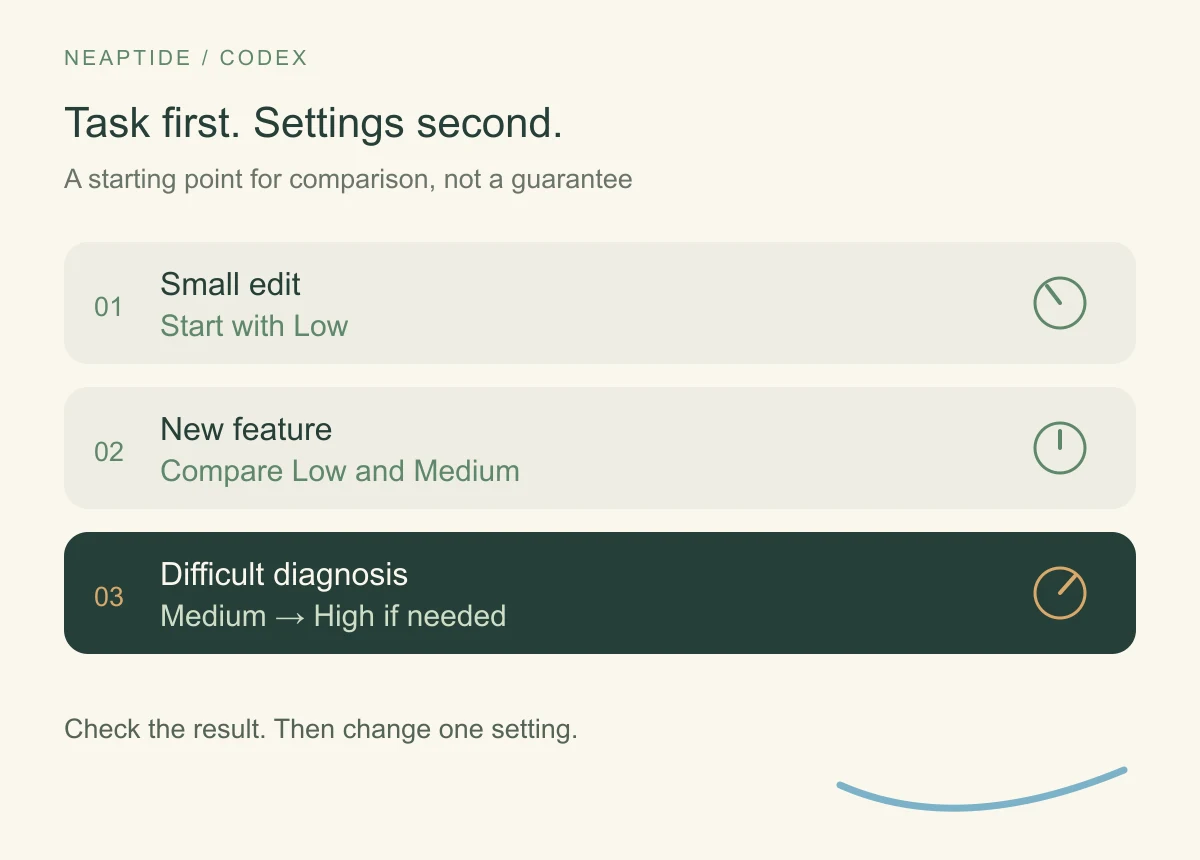
The Astra API supports five reasoning.effort levels: low, medium, high, xhigh and max. This setting controls how much effort the model spends reasoning. The controls available in a particular interface may differ.
There’s no need to select the maximum for every request. Start with familiar tasks whose results you can assess yourself. The table below suggests where to start comparing. It guarantees nothing about quality.
| Task | Setting to try first | What to check |
|---|---|---|
| Fix a typo or replace approved copy | Low | Every intended instance changed; layout still works |
| Add a field to an existing form | Low or Medium | Validation, submission and storage all work |
| Diagnose an intermittent bug | Medium, then High if needed | The cause can be reproduced and the fix has been checked |
| Plan a data migration | Include High in your comparison | Data loss, compatibility and rollback are addressed; a specialist reviews the plan |
Low isn’t necessarily cheaper over the whole job. Three rounds of corrections after the first attempt can wipe out the saving. Higher effort doesn’t spare you the checking either, because a long chain of reasoning proves nothing about the answer.
Compare what it takes to finish a task you can sign off. Include waiting time, usage and your own work: how often did you have to explain the request again, find mistakes or send it back?
After an unsuccessful run, record the cause. If the agent did not know the field belonged in the email, clarify the requirement. If it missed the submission handler, supply its path or ask it to search. Try higher effort when the necessary information is available and the reasoning itself is difficult. Change one factor at a time.

Check whether old rules are creating unnecessary work
Your project may have accumulated instructions such as “read the entire architecture before every edit” or “run every check after any change.” They may once have helped. Now a new integration and a changed heading trigger the same requirement.
OpenAI specifically recommends auditing AGENTS.md and skill files when using Astra, because the model is sensitive to their instructions. Conflicting rules can cause pauses and unnecessary approval requests.
A useful rule explains when and why an action is needed. For example:
| Overly broad rule | More precise rule for an example project |
|---|---|
| Read all documentation before every edit | Before changing the form, read its field and submission documentation |
| Always ask before taking the next step | Make and check local changes independently; ask separately before publishing |
| Run every test after each change | When changing pricing logic, check calculations and checkout; run the project’s required checks before release |
Don’t strip out testing requirements because a newer model supposedly “checks everything anyway.” Mandatory product checks and access restrictions stay. The rules to revise are the ones that impose the same amount of work whatever the task.
Use a request like this to review them:
Review the current project instructions and the skills in use.
Find repeated or conflicting rules and requirements that create
unnecessary work on small tasks.

For each issue, identify the file and rule, give an example of the
problem, and suggest revised wording.
Preserve requirements for security, data handling and mandatory checks.
Show your recommendations first. Do not change the rules yet.
There’s also a technical reason to keep instructions concise. Codex combines them from several files, with a default combined limit of 32 KiB. If you have extensive rules, check which ones actually loaded.
Define what finished work looks like
“Make the form easier to use” leaves too many decisions open. The agent might redesign it when the real problem is that enquiries aren’t reaching the sales team.
As a business owner, describe the customer journey and an outcome you can check. For example:
Add an optional “Company” field to the enquiry form on the service page.
Include its value in the email sent to the sales team.

The work is complete when:
1. The form submits with the field filled in or left empty.
2. The test email contains the company name entered.
3. The field and submit button fit within a mobile screen’s width.
4. Existing required fields are still validated as before.

Make local changes and run checks independently.
Use test data. Do not publish changes or email real customers.
Show the result and state what you checked and what you could not check.
Nothing here prescribes the code, and nothing needs to. What the brief does make clear is why the form is changing and how the work will be accepted. If the email service is unavailable, the agent should say so. A form that looks right tells you nothing about whether an email arrived.
Keep this structure as a reusable brief: task, expected behaviour, constraints, checks and the result to deliver. Fill in the details for each job.
The form example needs three pieces of evidence: the value appears in the interface, the server accepts it, and an email containing it reaches a test recipient. HTTP 200 confirms only one part of that path. If the final step is inaccessible, the report should name the unverified step.

Expand context only when you have a reason
Context is the information the model works with in a request: conversation history, instructions, documents and tool results. A large window helps when the task genuinely requires comparing a lot of material. It doesn’t make irrelevant files useful.
Astra’s official model page lists a context window of 1,050,000 tokens. In the API, requests with more than 272,000 input tokens cost more: input and cache rates are multiplied by 2, and output rates by 1.5, for the entire request. These are API terms, not a formula for deducting your subscription allowance.
Before increasing context, review what you’re including. A form change needs the form’s code, validation rules and submission details. Old proposal drafts and a complete archive of working notes are unlikely to help.
For work spanning several days, maintain a short handover document: decisions made, files changed, checks completed and remaining tasks. When starting a new session, include the current source files alongside it. A summary doesn’t replace the evidence behind its conclusions.
Use subagents when the work can be split
A subagent is a separate helper assigned part of the main agent’s task. In a website review, one could inspect the enquiry form, another the catalogue search and a third the mobile menu. Each returns findings with steps to reproduce them.
OpenAI’s advice is to ask whether the tasks really are independent and to be careful with simultaneous file edits, which can conflict. Each agent also spends tokens on its own work, so adding agents will not by itself bring the cost down.
Several helpers are usually hard to justify for a small edit. For a larger review, give each a clear scope and expected output. Instead of “check the site,” try “check these three form-submission scenarios, list failures and reproduction steps, and do not edit the code.”
Once the findings are combined, check the complete journey. Three successful component reviews don’t establish that everything works together.
A dependency diagram makes delegation easier to judge. The menu check need not wait for the search check, and both sets of findings can be gathered independently. The complete customer journey can only be checked once the changes are combined. And two helpers editing the same form handler are no longer independent.

Track usage rather than relying on a budget prompt
The video suggests describing a budget in natural language. That can express a preference, but “stop when 25% remains” is no guaranteed spending control. For that, the agent would need current usage data and a way to stop in time.
Codex usage depends on the model, task complexity, context, tools and caching. OpenAI explicitly says prompt length alone is not a reliable estimate. Check the usage interface for current allowances and reset times.
Start a simple log for a few typical tasks:
| Task | Model and effort | Usage shown in available data | Revisions | Result accepted |
|---|---|---|---|---|
| Replace copy | … | … | … | Yes / no |
| Change a form | … | … | … | Yes / no |
| Diagnose a bug | … | … | … | Yes / no |
This is a template for your own records. It contains no Neaptide measurements. If other tasks are running concurrently, you can’t attribute the entire change in your remaining allowance to one job. With the API, record usage per request. With a subscription, use the available detail and note its limitations.
Change one setting at a time. If you shorten the rules, change models and add helpers together, you won’t know which change made the difference.
Turn repeatable work into a regular automation
Suppose you receive a file of enquiries each week, standardise its column names and prepare a summary. The first time, an agent can help you understand the format and write the processing script. If the rules stay the same, later runs can simply use that script.
Decide in advance what should happen when there’s a new column, an empty file or an invalid date. Preserve the original file and report failures. Otherwise the automation will just produce wrong reports faster.
This doesn’t make the process free: running it, using external services and maintaining it still have costs. It does remove the need to ask a model to devise the same processing steps every week. Bring the agent back when the data or requirements change.
Start with one familiar task
For the next familiar task, record acceptance criteria, available context and the starting reasoning effort. After reviewing the result, change only the factor that explains the failure. Several such comparisons tell you more than always selecting maximum effort or asking the agent to “spend less”.
- Edvard Grishin’s GPT-6 Astra walkthrough: 35+ features and a comparison of Codex with Claude Code
- Edvard Grishin’s channel on AI and business automation
- OpenAI: GPT-6 Astra
- OpenAI: Model guidance
- OpenAI: Reasoning models
- OpenAI: AGENTS.md
- OpenAI: Subagents
- OpenAI: Pricing
Sources and verification
Technical sources and calculations checked on October 3, 2026. Scenarios and diagrams are illustrative Neaptide examples; no comparative product benchmarks were performed.