B2B catalogue SEO: help buyers find the right item
Neaptide · September 7, 2026 · 5 min read · Updated: October 3, 2026
Map purchasing intent to categories, specifications and quote requests. A practical catalogue structure without creating every filter combination.
On this page

One buyer arrives with an exact part number. Another is searching for a product family, and a third is still working out the requirement. A single “Our products” page rarely serves all three. B2B catalogue SEO starts with how people choose. Map that journey to the products you actually supply.
Find out what buyers call your products
Compare the names in your catalogue with customer enquiries, specifications and search data. A new buyer may not recognise an internal sales code. Put the exact part number next to the familiar name and any valid synonyms, so that either kind of search leads to the right product.
Have a product specialist check the names. Two parts with similar names are not necessarily interchangeable, and you should not call a part equivalent, or claim it complies with a standard, unless you hold the documents to prove it. Nor does a blank in a keyword tool mean nobody wants the item.
Give categories, filters and product pages distinct jobs
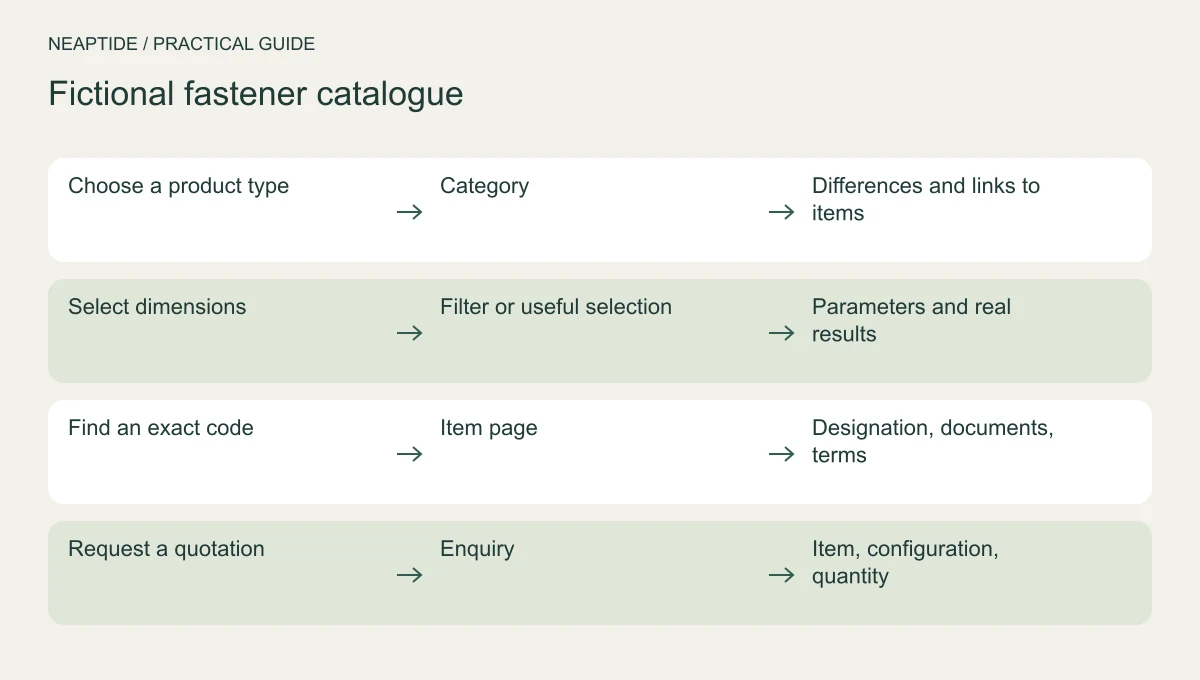
Take a fictional fastener catalogue. Some buyers need to choose a type, some need particular dimensions, and some are checking an exact code. The table maps those needs to pages. It illustrates how a site is organised and should not be read as engineering advice.
| Intent | Page | Useful content |
|---|---|---|
| Choose a product type | Category | Differences and links to items |
| Select dimensions | Filter or curated category | Selection criteria and matching products |
| Find an exact code | Item page | Designation, documents, terms |
| Request a quotation | Enquiry | Item, configuration, quantity |
Include the selected product in the quote request
An item page should give the verified designation, specifications with their units, the available documents and the conditions for a quotation. If the price depends on quantity or configuration, say so and explain how. Do not invent a fixed price to fill the field.
When a buyer asks for a quote, the selected item and its specifications should travel into the enquiry form and on to the CRM. Nobody should have to retype a long part number, and sales staff should receive enough detail to identify the product. Send a test enquiry and check what arrives.
Do not index every filter combination
Not every filter combination needs its own page in search results. A page worth indexing serves a specific buying need, contains suitable products and stays useful as the catalogue changes. Empty results and alternative sort orders rarely tell the buyer anything new.
Buyers and crawlers alike should be able to follow links from categories to individual products. Google recommends HTML a elements with an href attribute. If a product turns up only in internal search results, check whether any link in the catalogue leads to it.
Before changing the rules for parameter URLs, list those URLs with the visits and links they already receive. Sort the duplicates from the selections that help buyers choose. Canonical, robots.txt and noindex do different jobs, so pick the method after that review.
Start with one product group
Choose a group with reliable documentation and an expert on hand to check the specifications. Build a few representative pages, then walk the buyer’s route yourself: search by code, filter by size, request a quote. Fix the template before you extend it to the rest of the catalogue.
Traffic is only part of what to watch afterwards. Track whether enquiries carry the right product details and whether they match your range. A new structure does not guarantee growth. To discuss catalogue SEO with Neaptide, send a sample product list and a few typical buyer enquiries.