Next.js Metadata in the Body: Nine Tested Conditions
Neaptide · October 12, 2026 · 8 min read
We tested Next.js 15.5.22 across nine metadata conditions. Compare HTTP HTML and browser DOM, and see why a body canonical still needs separate scrutiny.
On this page
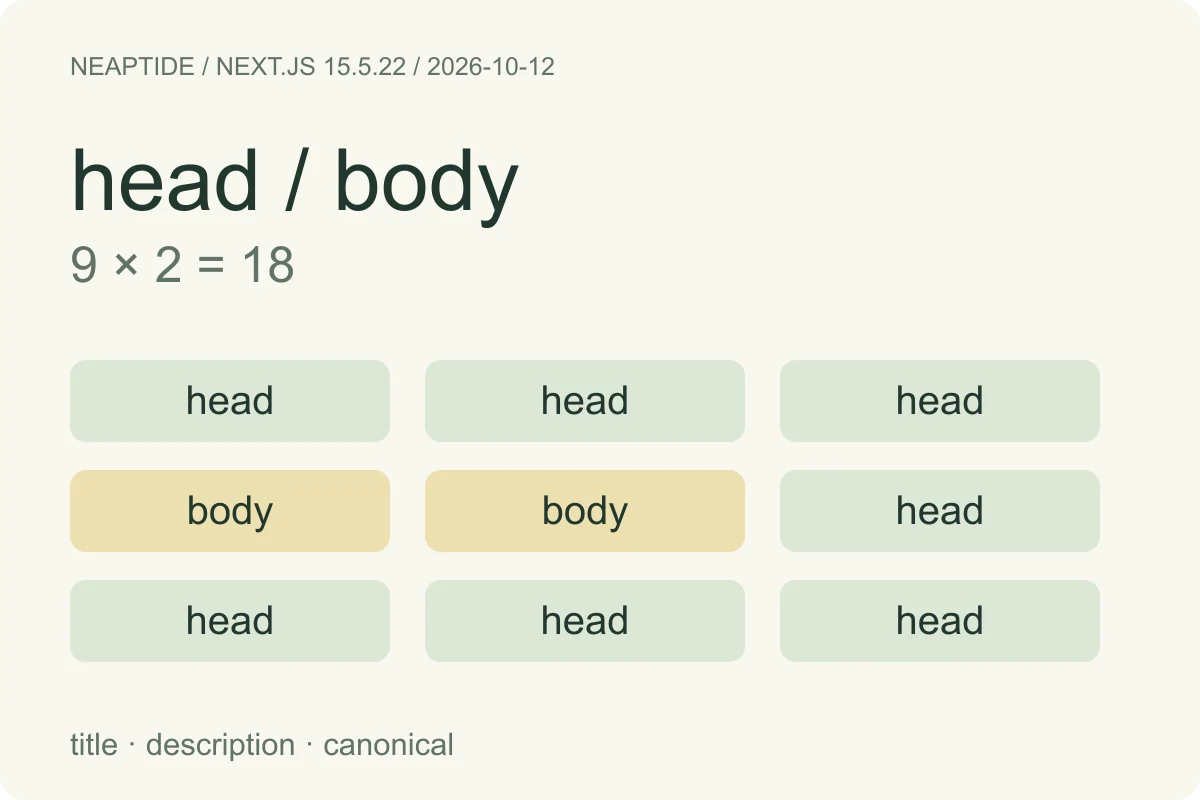
Finding metadata below the closing head tag can be a consequence of Next.js streaming. In our local production fixture, asynchronous metadata appeared in body for two request profiles and in head for a third. The values were present in every completed response, but that does not establish that a search engine accepts every tag in that location.
Start by identifying the tag, the request profile and the representation you are inspecting. Our test explains delivery behavior. For canonical links, also apply Google's head requirement; seeing the correct URL somewhere in the document is not enough to declare the implementation correct.
What we tested
On October 12, 2026, we tested Next.js 15.5.22 with React and React DOM 19.2.6 and Node v25.2.1. Three modes crossed with three explicit HTTP User-Agent profiles produced nine conditions. We ran every condition twice, retaining 18 complete HTTP 200 responses, headers and HTML. Both rounds agreed on tag counts, values and placement.
The modes were a static metadata object, an asynchronous generateMetadata function under the default configuration, and that same function with htmlLimitedBots: /.*/. Both routes used force-dynamic. Here, static describes the metadata export, not a prerendered page. The async function deliberately waited 250 ms, with no external fetch. That delay makes the delivery sequence observable; it is not a realistic workload or a performance score.
The HTTP response changed with the request profile

| Metadata mode | Browser-like UA | Googlebot UA | Twitterbot UA |
|---|---|---|---|
| Static object · default | head | head | head |
| Async function · default | body | body | head |
| Async function · blocking | head | head | head |
The collector used a Chrome 134-like string, Googlebot/2.1 and Twitterbot/1.0. These are HTTP header values, not visits by those services. All requests used Accept: text/html and Accept-Encoding: identity, without cookies or client-navigation headers. The download contains the exact strings and requests.
The browser kept the default async tags in body
We separately loaded all three modes in the connected browser, whose received User-Agent reported Chrome 154. In the rendered DOM, title, description and canonical were in head for the static and blocking modes. They remained in body for the default async mode. We did not observe a move into head. These three browser loads are separate observations from the 18 HTTP requests; they are not Googlebot rendering tests.
| Mode | Rendered DOM: all three tags |
|---|---|
| Static object · default | head |
| Async function · default | body |
| Async function · blocking | head |
Canonical needs its own decision
Next.js documents body delivery for streamed metadata and blocking delivery for HTML-limited bots. That explains the placement pattern we reproduced. Google's canonical documentation, however, says the HTML canonical link is accepted in head; its JavaScript example also inserts the link into document.head. The framework's general guidance does not settle this tag-specific requirement.
Our default async fixture leaves canonical in body in both the collected response and the browser DOM. We cannot conclude that Google accepted or rejected it: the fixture was local, used noindex and was never submitted for indexing. Treat this as a point requiring verification on the deployed route. If canonical remains outside head, use an implementation that satisfies Google's documented placement and recheck the result. The blocking configuration below achieved head placement in our fixture; it is one tested option, not a measured ranking improvement.
A focused check for your own route
- Save the full production response for the affected URL, with the request headers and deployment version. Inspect real title, description and canonical elements; text inside a React script is not a second HTML tag.
- Check the rendered DOM separately. Record values, duplicates and head/body ancestry. A correct browser-tab title alone says nothing about the canonical link.
- Compare the profiles relevant to the consumer that is failing. Keep browser, crawler-string and actual external-service observations separate; a spoofed User-Agent only tests your server's response selection.
- Apply the requirement for the specific tag. For canonical, inspect the deployed page through available Google tools and its canonical reporting, while ensuring the HTML link is in head. A local DOM capture cannot tell you Google's selected canonical.
- Change the smallest relevant implementation choice, rebuild, and repeat the same checks. If changing metadata streaming, evaluate the loading behavior on the real workload as well; our artificial delay provides no production performance estimate.
The configuration we actually tested
For the third mode, we rebuilt the same app with this option. It placed all three tags in head for all tested profiles. The option replaces the default bot-matching rule; /.*/ matches every User-Agent. Preserve the rest of your configuration and assess the scope before adopting it.
// next.config.mjs
export default {
  htmlLimitedBots: /.*/,
};
Changing this option affects metadata delivery across the app. The experiment did not test a custom bot-only regex, production caches or navigation between routes, and it does not justify switching every site to blocking metadata.
Repeat the experiment
Download the fixture and lockfile. Its README gives the build and start commands for both configurations, followed by the Python collector. Start the two servers in separate terminals, then run the collector from the extraction root. The fixture includes an artificial delay, noindex and reserved example.test canonical URLs: keep it local. The evidence archive contains original response HTML and DOM snapshots; results.json contains the complete profiles and parsed observations.
Inspect the evidence
- Protocol, results and sources · JSON
- Method and limitations · TXT
- Reproducible fixture · ZIP
- Raw HTTP and DOM evidence · ZIP
This is one version, two local builds and three browser page loads. We did not test a CDN, remote crawlers, client-side navigation, metadata failures or cache components. We measured neither indexing nor rankings, AI citations, traffic, conversion or Core Web Vitals. The same researcher performed collection and checking. Recheck behavior on your own version and deployment.