Claude Projects: set up a workspace you can return to
Neaptide · September 27, 2026 · 15 min read
Set up Claude Projects with useful files, clear instructions and verifiable answers. Six diagrams, ready-to-use prompts and a downloadable exercise kit.
On this page
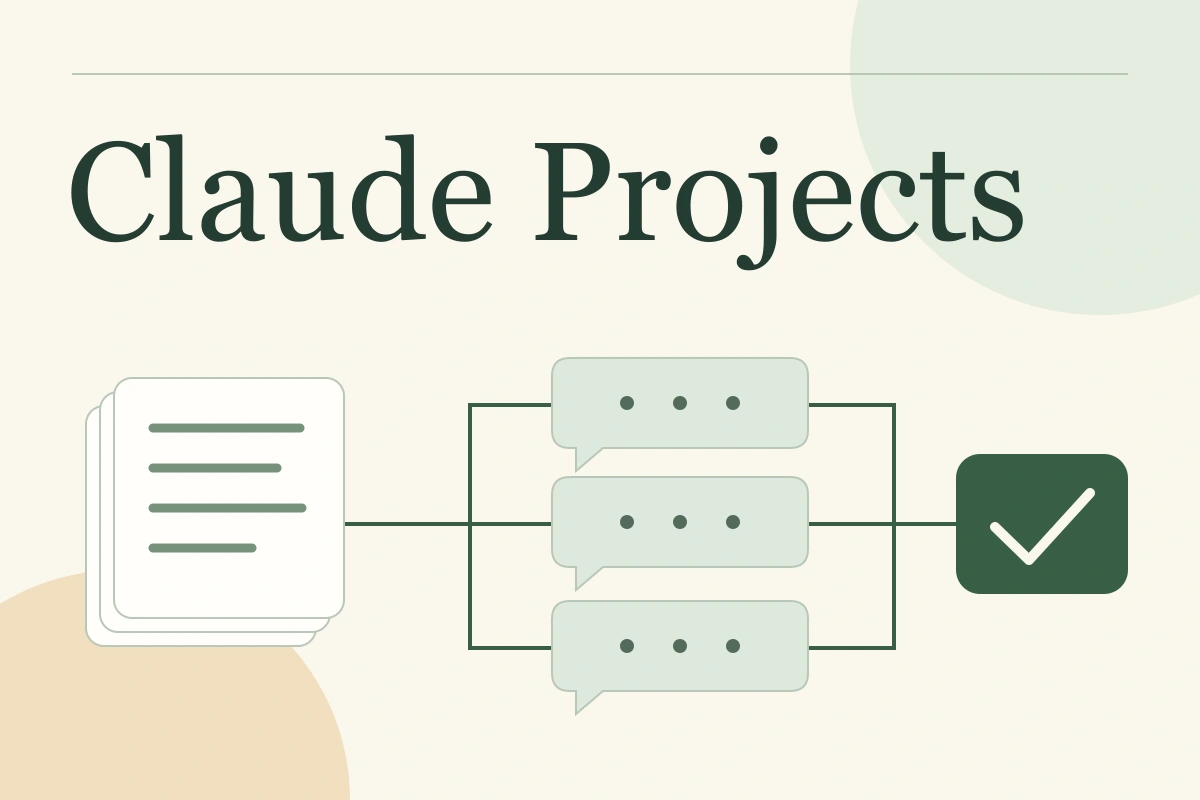
Yesterday you told Claude who the website is for and which decisions are settled. Today you open a new chat and explain it all again. Projects give recurring work a shared home for materials and instructions. The useful first decision is what should stay common across tasks and what belongs only to today's conversation.
We will build a project for a fictional pottery studio: a class page, an FAQ and customer replies. You get three small source files, a project instruction and questions with known answers. The same approach works for editorial work, launching a service, studying or managing a client project.
Quick answer: create a project around one lasting goal, upload current source material, define how to use it and open a chat for the first deliverable. Keep important decisions in a checked document so you can verify them independently of what the model remembers.
First, which version of Projects are you using?
As of September 27, 2026, ordinary Claude projects bring together chats, a knowledge base and instructions. Free accounts can create up to five projects. Anthropic is also gradually rolling out a new Projects beta in Claude Code to selected Pro and Max users, where Claude coordinates separate threads.
The main walkthrough covers chat projects at claude.ai/projects. If you see a coordinating conversation, threads and an Overview panel in the Code tab, also read the beta section below. The distinction changes both the workflow and the available settings.
When a project earns its place
Use a project when one goal creates several related tasks. The studio needs a class description, answers to questions and a message to participants. Duration, group size and booking details stay the same; the question and output format change.
| Your situation | Start with | Reason |
|---|---|---|
| Shorten one email | A chat | The whole task fits in one request |
| Regularly create material about one service | A project | Facts and rules recur across conversations |
| Work for two clients with different terms | Two projects | Materials and agreements are easier to keep separate |
| Upload everything about a company without a clear task | Choose a working question first | The answer will tell you which documents matter |
This is an editorial workflow recommendation, not a product restriction. Name the outcome: “Launch group classes” is easier to navigate than “AI work.” If the project is hard to name, it may contain several unrelated goals.
Separate files, instructions, memory and the current chat
Project files hold source information. Project instructions set response rules. The current chat holds a particular request and its discussion. Claude also has separate memory and past-chat search mechanisms. They help carry context forward without turning every conversation into one shared document.

The memory documentation describes a separate memory space for each project. On paid plans, past-chat search within a project is also bounded by that project's conversations. Check these features under Settings → Memory. Older wording about context not carrying between chats should not be read as meaning Claude cannot refer to previous work at all.
For precise terms, nominate a document containing current decisions. Here, group size comes from 02-decisions.txt; discussion of alternatives lives elsewhere. That priority is a working rule we must write into the instructions, not something the product establishes automatically.
Create a project and upload three useful files
Open Projects, choose + New Project, then enter a name and description. The help page makes an easily missed point: Claude cannot access those two fields as context. Repeat the goal in an instruction or brief. Add your documents to project knowledge, then open Set project instructions and save the rules.
Start with a small collection you can verify yourself. Our studio uses this set:

The brief describes the audience and deliverables. The decisions file sets a six-person maximum, a 90-minute class and booking through a form. The price is unknown. The notes preserve preliminary ideas, including the earlier group of eight.
Do not remove every trace of discussion just to make the answer easy. Sometimes the reason for a change matters. Dates, proposal/approved labels and an explicit source of current terms help. In real work, check who approved a decision: a model adding the word “approved” does not create human agreement.
A chat attachment and a project knowledge file are different upload locations. Put shared material in the project's files. The current per-file limit for project knowledge is 30 MB. Non-PDF documents are processed as text, so an embedded image in a DOCX may not be read. PDFs up to 100 pages support text and visual analysis; PDFs of 101–1000 pages are processed as text only.
If a key condition appears only in a diagram or scan, ask about that specific page and compare the answer with the original. A successful upload confirms the transfer, not that every important detail was extracted.
Write an instruction you can evaluate
“Be a brilliant marketer” says little about an acceptable answer. A goal, source priority, conflict rule and missing-information rule are easier to check. You can then identify a concrete failure: an invented price, an outdated proposal or a missing source.

Use this instruction for the exercise. Replace the goal, filenames and output requirements for your own project.
Help prepare the launch material for group pottery classes:
a class page, an FAQ and customer replies.
The audience is adults with no pottery experience.

Use 01-brief.txt, 02-decisions.txt and 03-notes.txt.
Current approved terms are in 02-decisions.txt.
Do not treat early ideas in 03-notes.txt as current conditions.

If documents conflict, show both statements and explain your choice.
If their status is unclear, ask a question.
Do not invent prices, schedules, guarantees or refund conditions.
If information is missing, state what is needed.

In working notes, cite the file and section for each condition.
Separate customer-facing copy from editorial notes.
Write clearly and calmly, without unsupported promises.
Project instructions apply across its chats. Put a one-off request such as “reduce this to three paragraphs” in the current conversation. Making it permanent may interfere with other tasks.
First request: check the foundations before drafting
A short source review shows whether you and Claude understand the same task. It also exposes questions before you get convincing but inaccurate copy.
Read the three project files. Do not draft the website copy yet.
Create a table: condition → current status → file and section.
List conflicts and missing information needed to publish the class page.
Do not present proposals as decisions.
Open the sources named in the response. For this kit, ask the three questions below before expanding their expected answers.
How many people can attend a class?
The answer should cite Approved conditions in 02-decisions.txt: at most six participants. Eight people appears in 03-notes.txt as an early proposal, not the current limit.
Why do the files mention both six and eight?
The September 24 notes proposed eight participants. The September 26 decision set the maximum at six. A useful answer identifies both sources and their status; it should not average the numbers.
How much is a Saturday class?
Neither the price nor a weekend schedule is approved in the kit. The expected answer identifies both gaps and asks for details. It must not assume Saturday classes exist or replace an unknown price with a market estimate.
These are expected answers derived from the exercise documents, not observed Claude test results. They give you a repeatable check. If an answer is wrong, first inspect the source, its status and the instruction the model used.
Once the basis is sound, open separate “Class page” and “FAQ” chats. Give each a specific output, for example:
Draft an FAQ for the class page using approved project material.
Give five questions with short answers for a beginner.
Check factual claims against 02-decisions.txt.
Move questions without enough information into a separate
“Needs clarification” list. Do not invent answers for the FAQ.
After the copy, give the editor a list of sources used.
The chat boundaries now match deliverables you review separately. Keep refining the same output in its existing chat; every small question does not need a new conversation.
What changes when the document collection grows?
On paid plans, Claude automatically enables RAG when project knowledge approaches the context limit. It retrieves relevant document passages to answer a question. A practical implication is that “review the whole collection” needs a different completeness check from a targeted factual question.

Make the request specific: “Find the booking terms in 02-decisions.txt and compare them with the early notes.” For a complete review, first ask which materials were examined, then work through document groups. Compare that list with the actual collection: it is a record to inspect, not a completeness guarantee.
Clear names, dates and status labels help in larger collections. 2026-09-26_booking-approved.txt is easier to distinguish from a draft than final-final-2.txt. A better name does not fix outdated content; mark superseded terms or remove them from the current material set.
A company-wide answer system also needs access and source-update rules. See the broader
Pick up the work a week later
After a useful session, ask for a short handover: accepted decisions, drafts, open questions and the location of the latest checked result. Read the summary yourself before updating the shared project document.

Prepare a handover for a new chat:
1. Confirmed decisions with sources.
2. Outputs produced and their status: draft or accepted.
3. Open questions.
4. The next specific action.
Do not promote a proposal to a decision without confirmation.
Suppose the price is agreed next week. Add it to the current file with its date and basis, update project knowledge, then ask about the price in a new chat. If the reply uses old information, request the source and check for an outdated duplicate. “Remember this forever” is not a substitute for maintaining the source.
The same principle helps with notes and meeting records: trace a conclusion back to a particular entry. See
When a team uses the project
Ordinary projects support sharing on Team and Enterprise. Can view permits reading project material and chatting within the project; Can edit permits changes to knowledge and instructions. Organisation settings can affect availability.
Choose who maintains current terms. A shared space alone cannot reconcile two different prices uploaded by an editor and a manager. Give the decisions file an owner and date its changes. Others can propose updates in conversation; the owner confirms them in the shared document.
| Symptom | First check |
|---|---|
| A new chat ignores a file | Was it added to project knowledge or only to one conversation? |
| Claude repeats an old condition confidently | Which source was used, and is an outdated duplicate still present? |
| The tone is right but the price is invented | Is there a missing-information rule and a source check? |
| A diagram label cannot be read | The document format and whether visual content was extracted |
| Team members get different answers | Whether materials, instructions and available settings match |
The new beta: Claude coordinates the threads
In the new Claude Code Projects beta, a central conversation coordinates the work. Claude assigns tasks to threads with shared project context, and file outputs collect in Library. This differs from manually managing separate chats.

Cloud threads can continue after you close your laptop. They consume the plan's shared limits, and parallel work uses them faster. The beta is rolling out gradually to Pro and Max; team sharing of these projects is not supported yet. These conditions should not be applied to ordinary Team and Enterprise projects.
You can practise the kit's basic workflow in an ordinary project. Explore the beta available to your account when you need to delegate related tasks in parallel. First make the source material and acceptance criteria work for one deliverable.
Your first session
- Choose one goal that will last beyond a single conversation.
- Gather a small material set and mark current decisions.
- Write rules for sources, conflicts and missing information.
- Test a known fact and a question the files cannot answer.
- Produce one useful result, check it and save the state for later.
A good first result lets you open a new chat, start the next task and verify its factual basis. Start with the exercise kit, then replace it with your own material. Add the methods in our