Local or cloud AI: which should you use for work?
Neaptide · September 28, 2026 · 12 min read
Compare local and cloud AI for privacy, quality, speed and cost. Includes a worked cost example, two diagrams and a worksheet for testing your own tasks.
On this page
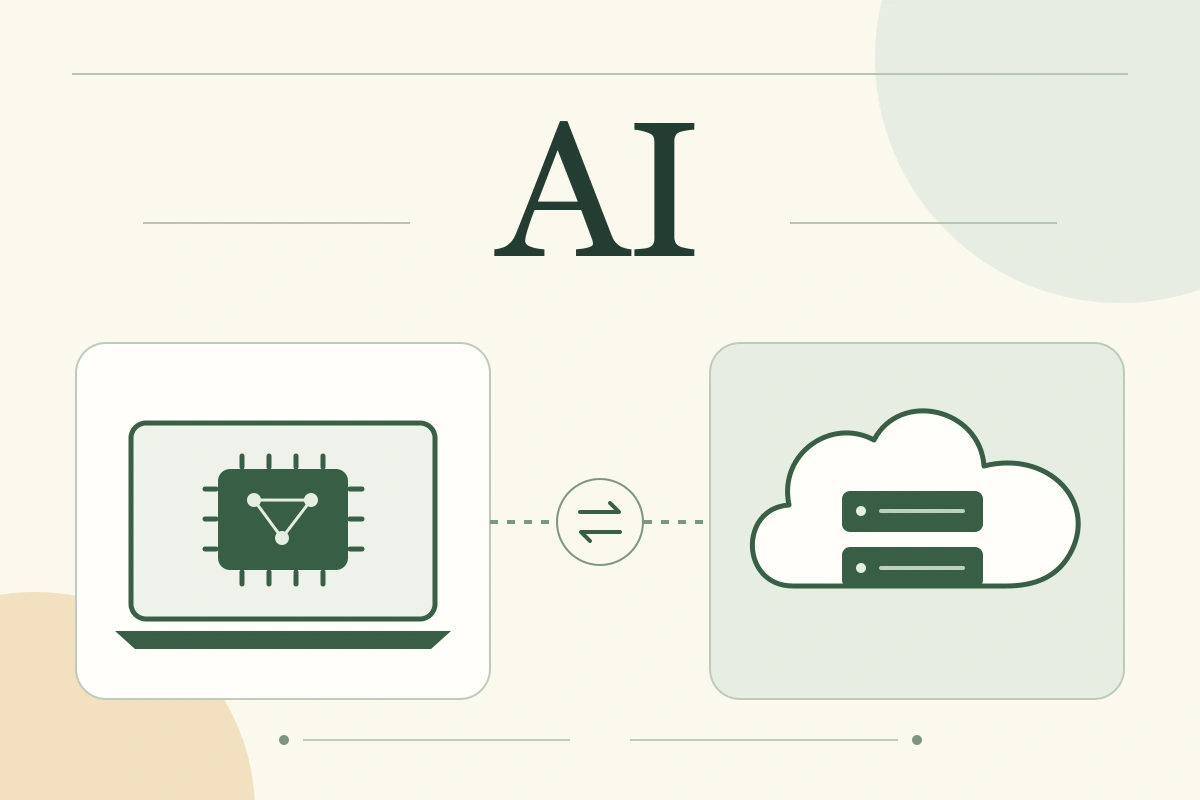
Local AI makes an appealing promise: your documents stay on your computer, the model works without the internet, and each request does not come with a bill. But running a model for free does not necessarily make its output cheap. If you spend a long time correcting answers, the savings on a subscription can disappear within a few working days.
The short answer: a local language model is useful when processing on your own device or working offline is a requirement, and its quality is good enough for the task. Choose a cloud service when its model and tools produce a better working result and its data handling terms are acceptable. Combining the two makes sense when you have defined which materials may leave your infrastructure, and at what stage.
This guide compares assistants for text, documents and code. Video generation, audio processing and other workloads need separate tests. It draws on product documentation checked on September 27, 2026. We have not run our own comparison of model performance; the numerical example below is a transparent calculation using hypothetical inputs.
What exactly is local?
In this guide, local AI means a model whose computations run on your computer or a server you manage. Cloud AI means a model run for you by an external provider. The application window can look identical in either case.
A laptop running a model and a server in your office are different setups. Once prepared, the laptop can work offline. The server requires a network connection, but you can share it across a team. Renting a server and installing a model yourself is another arrangement: you control the software, while the provider owns the physical infrastructure. The word “local” does not capture all these boundaries.
LM Studio illustrates the distinction. Its documentation says that chatting with a downloaded model and processing documents can work offline. Yet cloud models and web search in the same desktop application send requests beyond the device. Check the selected mode and the entire workflow.

A comparison across eight practical criteria
In this table, the local option is a model on your own computer. A shared team server also requires network access, user administration and management of the combined workload.
| Criterion | Local model | Cloud service |
|---|---|---|
| Data | Processing can stay away from external providers if every stage remains on the device | The provider processes the request; retention, training and access depend on the product and its terms |
| Quality | Limited by the available model and configuration; test it on your tasks | You can choose models that would not fit on your computer; quality still needs testing |
| Offline use | Possible after downloading the required components; network tools are separate | Remote processing requires access to the service |
| Speed | Depends on hardware, model, input length and other workloads on the computer | Depends on the model, network, queues and service limits |
| Costs | Hardware, energy, setup, maintenance and answer review | Subscription or usage fees, integration, administration and answer review |
| Maintenance | You select and update models, the application and its environment | The provider maintains the model infrastructure; workflows and access remain your responsibility |
| Growing demand | Additional users share finite resources; growth may require new hardware | Expansion depends on quotas, plans and the provider’s available capacity |
| Version control | You can keep specific model files and their environment | The provider determines which versions remain available and for how long |
Use the table to define your requirements. It does not establish which option is faster, cheaper or more accurate on your documents.
Where local AI is useful
Processing can stay within your infrastructure
If your team’s rules prohibit sending work materials to an external service, local processing offers a way to complete a task without that transfer. Examples include drafting a summary of internal notes or categorising incoming requests. Both the model and the components reading the source files must run locally.
Control takes work: restrict access to the computer and folders, check backups and keep software updated. A model stored on your drive does not protect a document from another user, malware or misconfigured synchronisation.
You can work without an internet connection
While travelling or dealing with an unreliable connection, a local assistant can continue editing text and answering questions about available materials. Prepare in advance by downloading the model, runtime components and documents. Web search, remote knowledge bases and other network dependencies will be unavailable offline. LM Studio’s documentation describes this distinction between local functions and downloading components.
You can retain a tested configuration
For a repeated operation, it can help to keep a particular model, its settings and the application. Processing similar records reliably may matter more than accessing the newest model every week. Keeping the files does not guarantee an identical answer on every run, though: test behaviour together with generation settings and the runtime environment.
Cloud models can also have versions, but the provider sets their availability period. For example, Ollama warns about retirements of certain cloud models and explains that these do not affect local models already downloaded.
The trade-offs of running a model locally
The first constraint is quality on the specific task. A model that fits comfortably on a laptop may struggle with complex code, a long document or ambiguous instructions. That is a hypothesis to test, not a reason to dismiss all small models. A well-defined task may require fewer capabilities than an open-ended conversation.
The second constraint is memory and workload. The model file’s size is not the total memory required during use. Context processing, working buffers and other applications also need space. For language models, one consumer is the KV cache; its memory requirements depend on the architecture and storage strategy. Hugging Face cache documentation. See our guide to RAM, VRAM and context for a detailed explanation and calculations.
This leads to a useful purchasing rule: an AI PC label and a TOPS figure do not replace a test of your chosen model in your chosen application. AMD’s documentation, for example, describes separate CPU, GPU and NPU execution paths using different software components. Having an NPU does not mean every application will automatically use it.
The third constraint is your time. Even a convenient application does not eliminate model selection, licence checks, updates or troubleshooting. For a personal experiment, that can be part of the enjoyment. For a team workflow, someone needs to own the work. If nobody does, recalculate the expected savings.
What the cloud offers, and where it falls short
A cloud service lets you start without buying hardware for the model. It provides access to models and tools you cannot or do not want to maintain yourself. Their value depends on the task: being able to upload a file or invoke a tool does not establish that the resulting answer is correct.
The trade-off is dependence on service access, limits and changes. A subscription does not necessarily provide unlimited use. An API requires spending controls. If a model changes or a required version disappears, you will need to validate the workflow again.
For a small number of varied tasks, the cloud is often a convenient starting point: you can test the value before investing in hardware. That is a practical order of operations, not a claim that cloud AI is always cheaper. With sustained demand and suitable hardware already available, the calculation may look different.
Privacy: four separate questions
“Cloud AI trains on everything you upload” is too broad a claim. Anthropic, for example, says it does not use inputs and outputs from its commercial products, including Claude for Work and the API, for training by default. Feedback or separate consent can change those conditions. Consumer products have different rules.
An exclusion from training does not, by itself, tell you how long data is stored. Before deciding where to process it, ask four questions:
- Who processes the data? Only your machine, your server, or an external provider and its subcontractors?
- What is retained, and for how long? Source files, conversation history, request logs and backups are different objects.
- Can the material be used for training? Check your particular product, plan and feedback settings.
- Which additional services receive the content? Web search, scan recognition, external tools and synchronisation may have their own terms.
Even within one provider, retention can differ between API requests, uploaded files and the chat interface. No-retention arrangements may cover only particular features and agreements.
A useful local check is to open a document, ask a question and get an answer with networking disabled. This demonstrates that the tested workflow works offline. It does not prove that nothing will be transmitted when connectivity returns. Ollama, for instance, lets you disable its cloud features with OLLAMA_NO_CLOUD=1 and an application restart, but that setting does not control other programs on the computer.
What does a usable result cost?
Compare the same workload and include human time. A basic monthly formula is: a share of upfront investment + service usage + additional energy + maintenance + reviewing and correcting answers. You can exclude costs shared equally by both options if you state that clearly.
Consider a hypothetical scenario: one specialist, 200 tasks a month, time valued at €20 per hour and a 36-month calculation period. These are neither product prices nor measured results. The energy use and hours are example inputs; replace them with your own figures before deciding.
| Cost item | Local option, per month | Cloud option, per month |
|---|---|---|
| Additional hardware | €900 ÷ 36 = €25 | €0: uses the existing computer |
| Initial setup | 6 h × €20 ÷ 36 ≈ €3.33 | 1 h × €20 ÷ 36 ≈ €0.56 |
| Additional energy | 30 kWh × €0.30 = €9 | €0 in this scenario: no separate increase counted |
| Service or licence | €0 by assumption | €40 for the entire monthly workload by assumption |
| Maintenance and administration | 1.5 h × €20 = €30 | 0.5 h × €20 = €10 |
| Before reviewing answers | €67.33 | €50.56 |
This example assumes no additional paid integrations, backup hardware or other expenses. Add them if your process requires them. Do not count an existing computer again as a new purchase, but do include upgrades and extra resources needed for the model. The example does not account for residual hardware value.
Now consider sensitivity: one extra minute of corrections for each of 200 tasks costs €66.67 a month at €20 per hour. That exceeds the difference between the two options in the table. We are not assuming that either model necessarily needs this extra minute. The example shows why answer quality may matter more than the access fee.
A useful final metric is cost per accepted result: divide all costs for the compared workload, including failed attempts and corrections, by the number of results that pass your checks. If no results are accepted, the metric is undefined: the process is not yet doing the job.
Test both options before buying hardware
For an initial pilot, you could use 12 representative tasks: four for extracting facts, four for writing or editing, and four for reasoning or code. This is a convenient starting set, not a statistically validated standard. Adjust the proportions to your work and use only materials that both options are permitted to process.
Include more than straightforward questions. Add a document with a contradiction, a question the source cannot answer, and a task where an error is easy to miss. If the model extracts a delivery lead time, write down the correct value and its source first. If it edits an email, list the facts it must preserve. For code, prepare a check of the expected behaviour.
- Record the conditions. Note the model name and version, local configuration and quantisation, application, available context, tools and mode. For the cloud, record the plan or API, selected mode and date.
- Provide the same source materials. When comparing models, match access to search and tools. When comparing complete workflows, retain useful differences and describe them explicitly.
- Measure waiting time. Distinguish the first request, when the model has not yet loaded, from subsequent requests. Repeat the scenario several times; one fast run says little about a working day.
- Apply criteria defined in advance. Record critical errors, acceptance or rejection, and minutes spent correcting the output. Attractive formatting should not conceal an incorrect fact.
- Calculate costs and test a demanding condition. Try a long document while your usual applications are open, or a shared server with several users. Test offline use separately if you need it.
Tokens per second are useful for technical diagnosis, but do not measure time to a usable result. Ollama’s API, for example, reports separate durations for loading the model, processing the input and generating output. Measure human review and total task time separately.
Our local and cloud AI comparison worksheet includes pilot conditions, a task card and a results log. It is blank, with no invented model scores. For your first local setup, see the Ollama guide.
When combining local and cloud AI helps
A mixed workflow is useful when its stages have different data and quality requirements. For example, you might process an internal report locally. A person then prepares a brief approved for external processing, and a cloud model helps draft the public-facing text. The final output is checked against the source facts.
The difficult part is what the intermediate brief contains. Removing names is not enough if confidential figures, deal terms or other sensitive information remain. Transfer only material that is actually permitted to be processed externally. Otherwise, keep the task within approved infrastructure or have a person complete it.

Combining approaches has costs of its own: two sets of tools, handovers between them and review of intermediate materials. If one approach already does the job well, there is no need to add another just to make the architecture more elaborate.
Where to start
Start with a local model when offline operation or processing inside your infrastructure is mandatory. First test the task on available hardware. If quality is insufficient, decide whether to change the model, process or equipment: a data restriction does not make a weak answer usable.
Start with a cloud service when external processing is acceptable, tasks are varied and you want to test the tool’s value quickly. Compare the outcome with your current method and set a clear spending limit.
Combine the two when you have a concrete boundary: which sources stay inside, what may be transferred and who checks the handover. Consider buying an “AI computer” after making that decision, once the model, workload and output requirements are clear.