AGENTS.md: give a coding agent useful project instructions
Neaptide · September 6, 2026 · 7 min read · Updated: October 3, 2026
What to put in AGENTS.md, where Codex looks for it and how to check that rules are applied. Includes a concise example and a scope diagram.
On this page

When an agent repeatedly edits the wrong folder or suggests a test command that does not exist, repeating yourself in chat gets tiring. Put lasting project agreements in AGENTS.md, a Markdown file for agent instructions. Its value is the context an agent cannot reliably infer from the code.
Start with rules you can see being followed: where content belongs, which check to run, what counts as done. “Write good code” barely narrows the choice. “Preserve published article URLs and check the build” gives the agent a decision it can act on.
Separate project rules from other documentation
| Location | Purpose |
|---|---|
| README | Human setup and project orientation |
| AGENTS.md | Rules for working on the project |
| Skill | A reusable procedure such as research or review |
| Task message | The current request and any specific exception |
Link to existing documentation and say when to read it. Copy every setup instruction across and you have several places to update the day a command changes.
A concise example for a content site
These paths and the build command exist in our site. Check and adapt them before using the example elsewhere. The download is a .txt file; save your adapted version as AGENTS.md in the intended directory.
# Working in this project

- Read package.json and neighbouring files before editing.
- Articles live in content/blog/articles, not in interface dictionaries.
- Preserve a published article slug unless the task requires a URL change.
- Run npm run build after content changes.
- For new logic, run the relevant checks from scripts.
- Report completed checks and remaining limitations.Do not add npm test just because another template includes it. Your package may have no such script. Match verification to the change rather than requiring a full audit for every caption edit.
How Codex discovers instructions
At startup, Codex reads global instructions, then project instruction files along the path from the project root to its current working directory. Within each directory, it checks AGENTS.override.md before AGENTS.md and uses at most one of them. Instructions closer to the working directory refine the earlier guidance. Other agents may load instructions differently, so check their documentation separately.
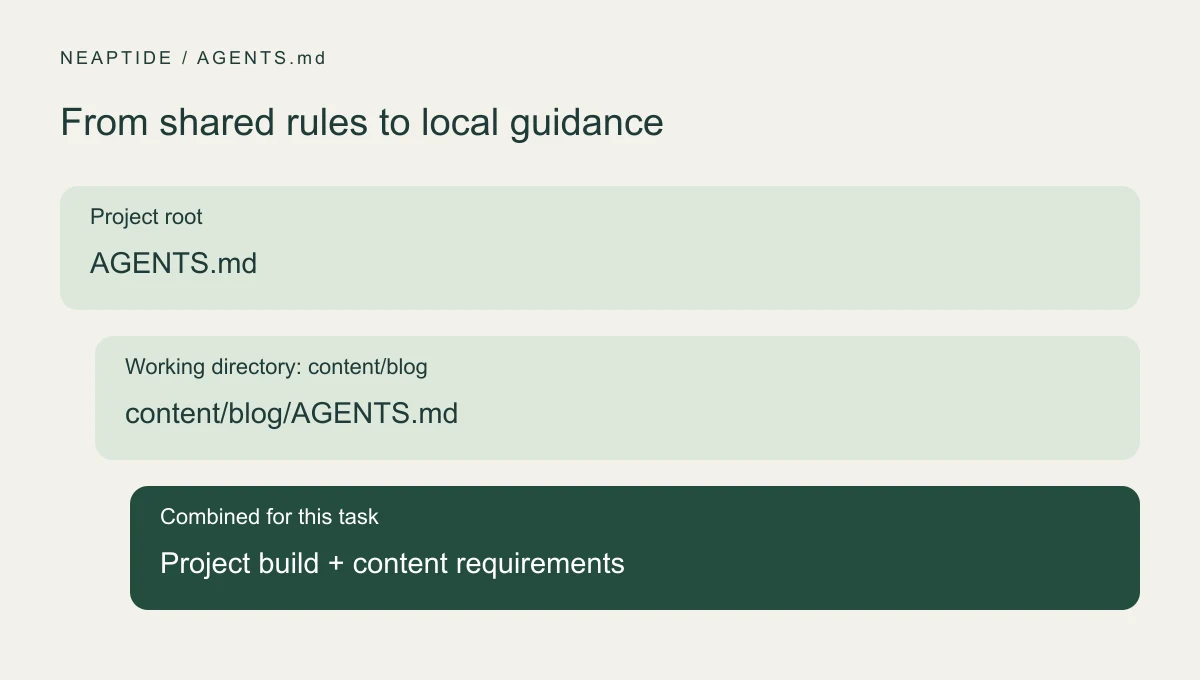
Add a nested file when a section has its own commands or conventions. Shared rules stay at the root; there is no need to repeat them down the tree.
Check behaviour, not just acknowledgement
- Check the filename and the working directory for the task.
- After editing instructions, start a fresh run and ask which files and rules apply.
- Request a small real change and inspect the edited paths and commands.
- If a rule is missed, check conflicts and override files, then clarify the wording.
Before editing, list the applicable instruction files, working directory and checks relevant to this task. Then make the change and show the evidence that it works.An accurate summary is useful for diagnosis, but it does not prove compliance. Inspect the actual work. Codex also caps the combined size of project instructions (32 KiB by default), so shorten an oversized file instead of assuming every line is loaded.
Keep technical controls outside the prose
Writing “do not access secrets” does not restrict file access, any more than “run the tests” sets up automated checks. Use AGENTS.md to explain how work should be done, and configure access permissions, branch protection and continuous integration (CI) separately. Do not put real credentials in examples.
Update the file when the project changes. Add rules for concrete recurring problems, test them on a later task and remove obsolete ones. The file is there to cut down on guessing. It is a poor place to keep a history of every past mistake.