如何用 AI 制作网站配图:从第一张图到可用的横幅
Neaptide · 2026年9月6日 · 8 分钟阅读 · 更新于: 2026年10月3日
以陶艺工作室为例,演示如何编写提示词、给标题留白、制作移动端构图,并让多张配图保持统一风格。附原始提示词和交互示例。
本文目录
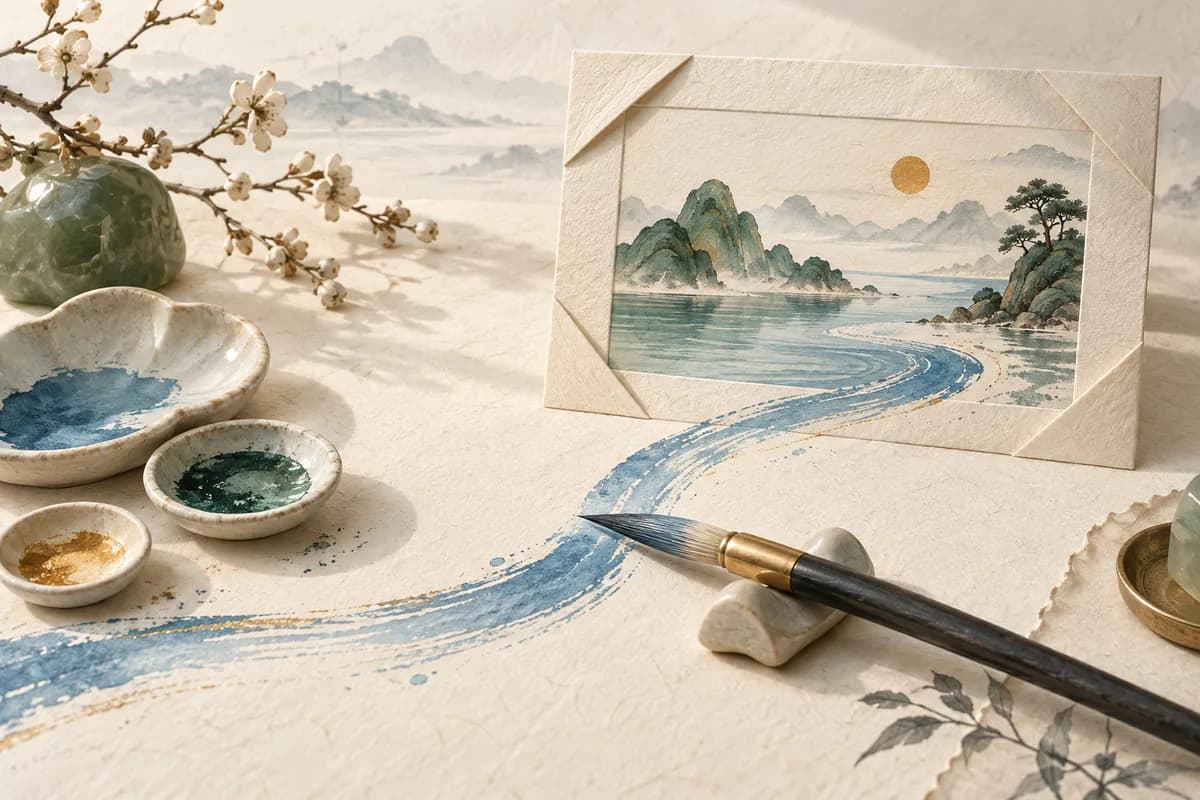
图片单独看很漂亮,放进网页却未必合适:杯子正好挡住标题,背景让文字难以辨认,手机上的裁切又切掉了杯把。所以写提示词之前,先决定图片在页面中要承担什么任务。
用 AI 做网站配图,要交代清楚用途、主体、构图、光线和限制条件。图片生成后,把真实标题放上去,在宽屏和窄屏上各看一遍,然后再处理文件大小和替代文本。下面用一个完整的例子走一遍。
这次示例是怎样制作的
我们用内置的图像生成工具做了四张虚构陶器的图片:一次初始生成,两次连续编辑,还有一次借助风格参考的新生成。这是 Neaptide 在 2026 年 9 月 6 日做的编辑示例,既不是客户案例,也不是模型评测。工具没有返回模型标识和随机种子。下方的英文提示词就是当时提交的原文,但照着用不保证得到完全相同的图片。
先确定图片的位置
在这个陶艺工作室的例子里,标题和按钮在左,杯子在右。换成文章封面,要求就变了:缩成小图也得看得懂。商品图则必须如实呈现出售的那件东西。用途不同,提示词也该不同。
第一张图:好看,但标题没地方放
Create a wide landscape photograph of a handmade ceramic mug for a pottery studio website. Warm daylight, natural linen, tasteful editorial product photography. No text, logos or watermark. Save the generated image.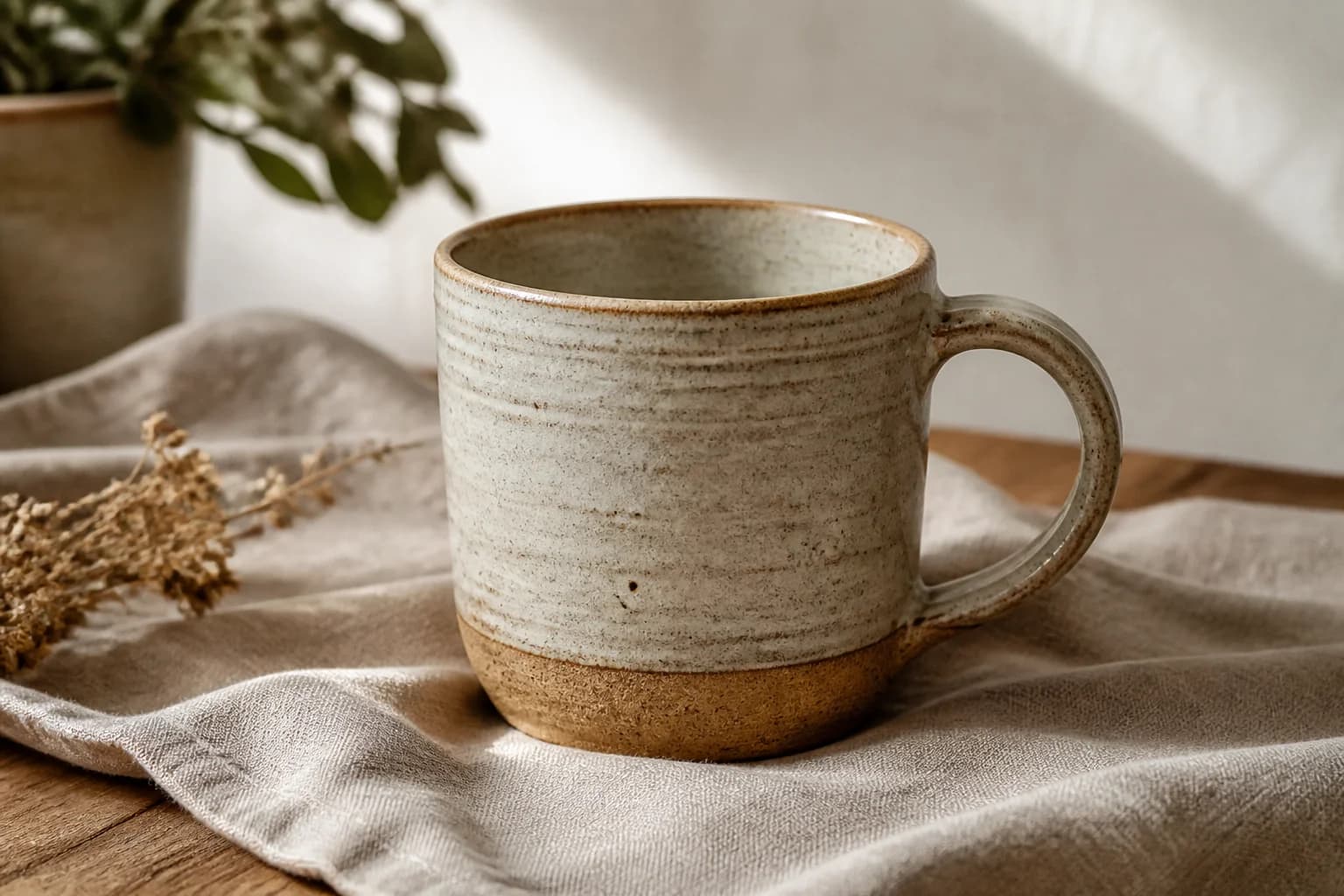
我们写明了材质和氛围,却没说物体放在哪儿,于是模型自己加上了植物和干花。单看这张图没有问题。但要当首屏横幅用,左侧得更干净,杯子也得小一些。
编辑构图,给标题留白
把第一张图当作待编辑的底图,讲明哪些要改、哪些要留:杯子缩小并移到右侧,装饰去掉,整体材质和暖光不动。
Edit the supplied generated mug image for a pottery website hero. Make a wide 3:2 landscape composition. Keep one recognizably matching cream speckled ceramic mug with the same brown unglazed foot and curved handle, the linen, warm daylight and natural photographic style. Reframe so the complete mug including handle sits in the right third and occupies at most 40% of the image width. Leave the left half a quiet light warm off-white surface with very little texture for a dark HTML heading to be added later. Remove the plant and dried flowers. No lettering, logos, border or watermark. The mug is a fictional design for an educational example.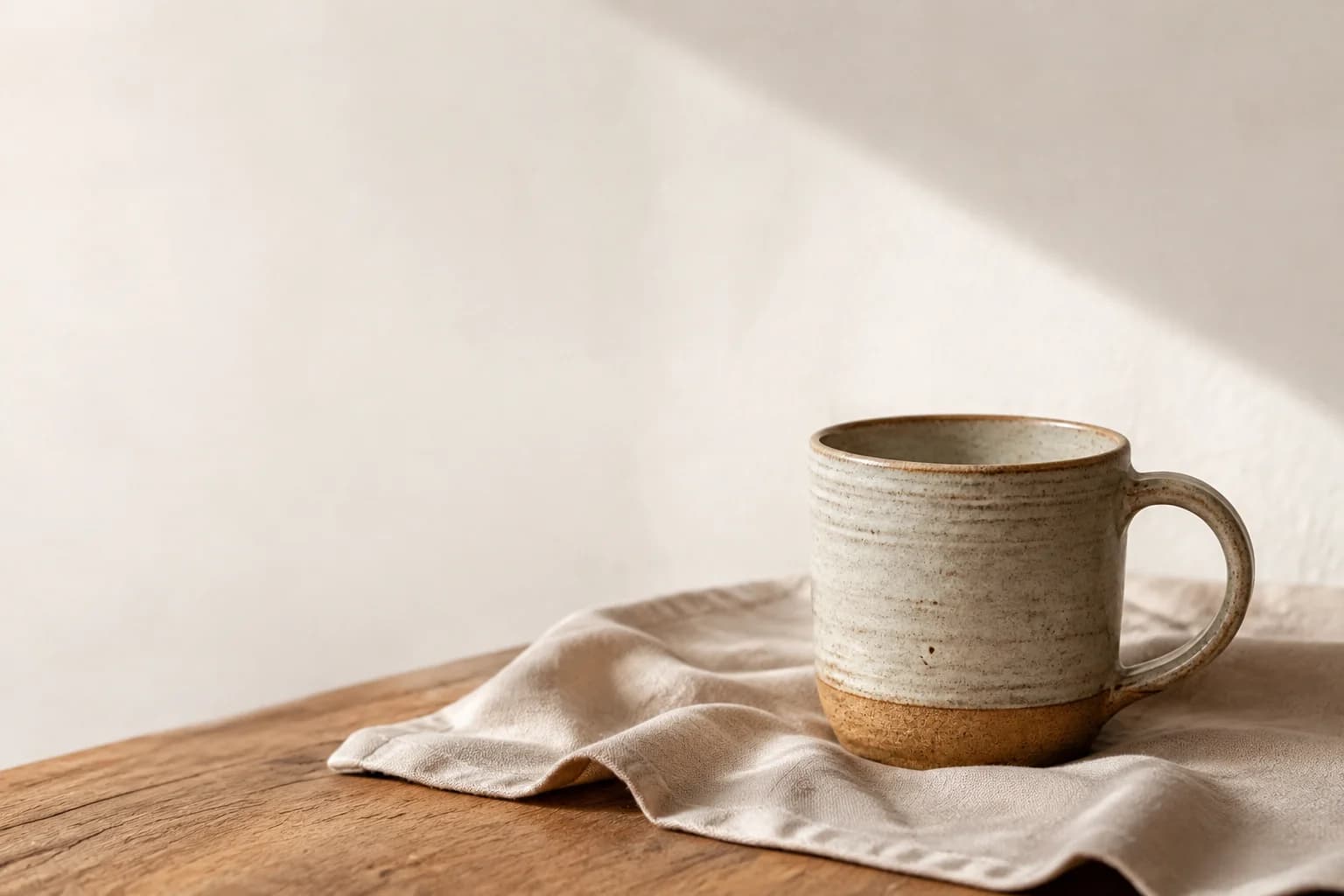
杯把形状和杯身比例也发生了轻微变化。对于教学用的虚构物品,这可以接受。如果是真实商品,就必须与原始照片核对。要求保留物品,并不代表模型一定能做到完全一致。
标题和按钮用 HTML 加上去,日后选择、翻译、修改都方便。图片合不合适,要把它和这些真实的页面元素放在一起再判断。
移动端需要重新检查构图
横图居中裁切,杯把甚至整个杯子都可能被切掉。先试试保留完整图片,把文字放到图片上方。设计上确实需要竖图时,再单独准备一个构图。
Edit this generated pottery hero into a portrait 2:3 mobile website image. Use the input image as the edit target. Keep a recognizably matching single cream speckled ceramic mug, brown unglazed foot, right handle, warm daylight, pale wall, wooden table and linen. Place the complete mug and handle in the lower half, comfortably inside both side edges. Keep the upper 40 percent quiet pale wall for dark HTML text to be added by the website. No plant, flowers, text, logos or watermark. Preserve the restrained photographic style. This is a fictional product for an educational website example.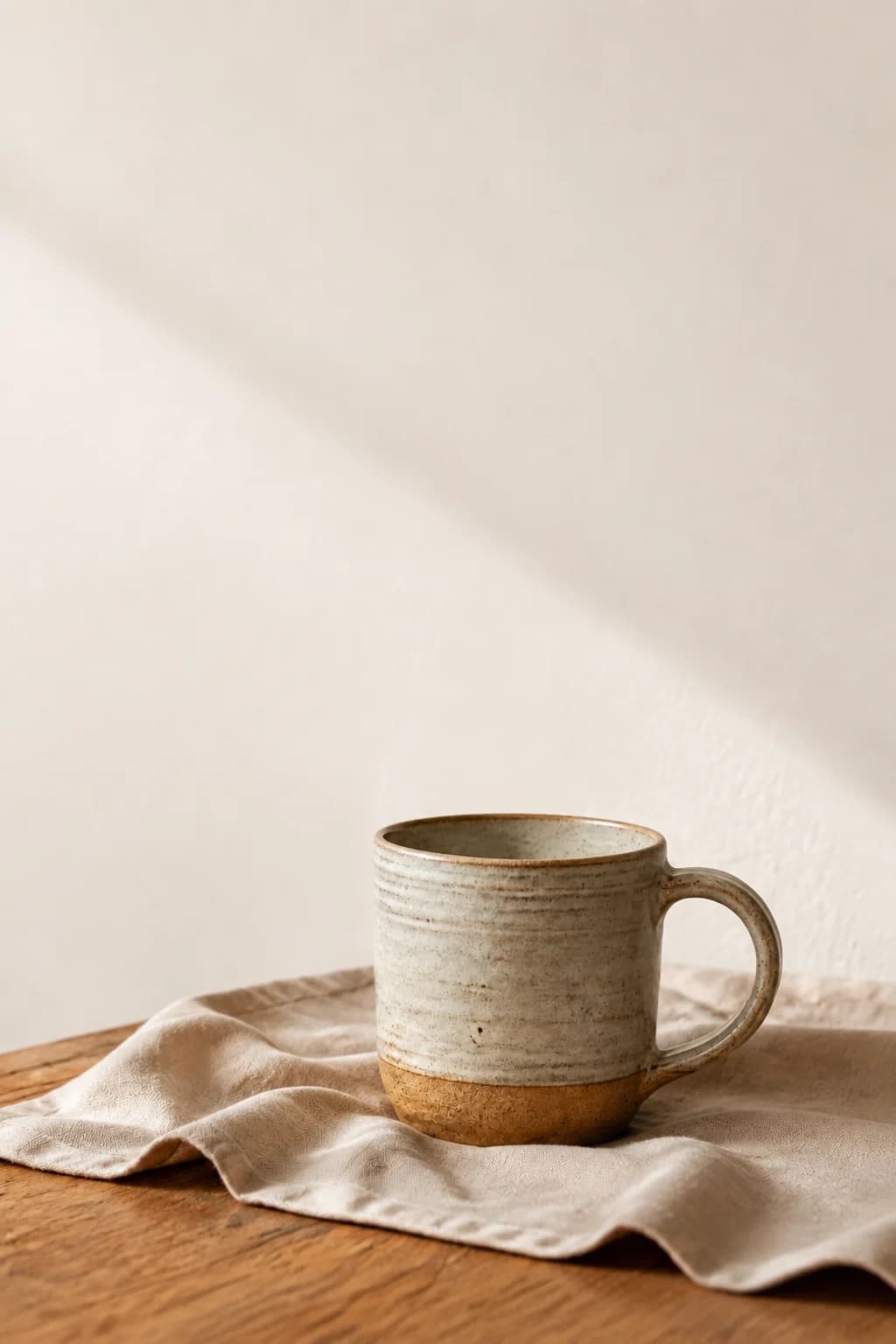
如果不同宽度的屏幕需要使用不同构图,可以用 HTML 的 picture 元素,并通过 source 指定每张图的适用条件。如果构图不变,只需提供不同分辨率,则使用 srcset 和 sizes。演示页面中,可以直接比较横图居中裁切与单独竖版构图的效果。
让系列配图保持同一种风格
下一篇文章需要一只陶碗。前一张图片只当风格参考用,杯子本身不必保留。重复亚麻布、木桌、暖光和克制的配色,只更换主体。
Create a new square editorial image for an educational pottery studio blog, using the supplied image ONLY as a style reference, not an edit target. Show a single shallow handmade ceramic bowl, cream speckled glaze with a brown unglazed foot, fully visible on natural linen over a wooden table, pale warm wall, soft window daylight, restrained warm neutral palette and quiet photographic texture matching the reference. Bowl in lower right area, simple upper left background, no other pottery, no plants, flowers, people, text, logos or watermark. The bowl is a fictional design, not a real product photograph.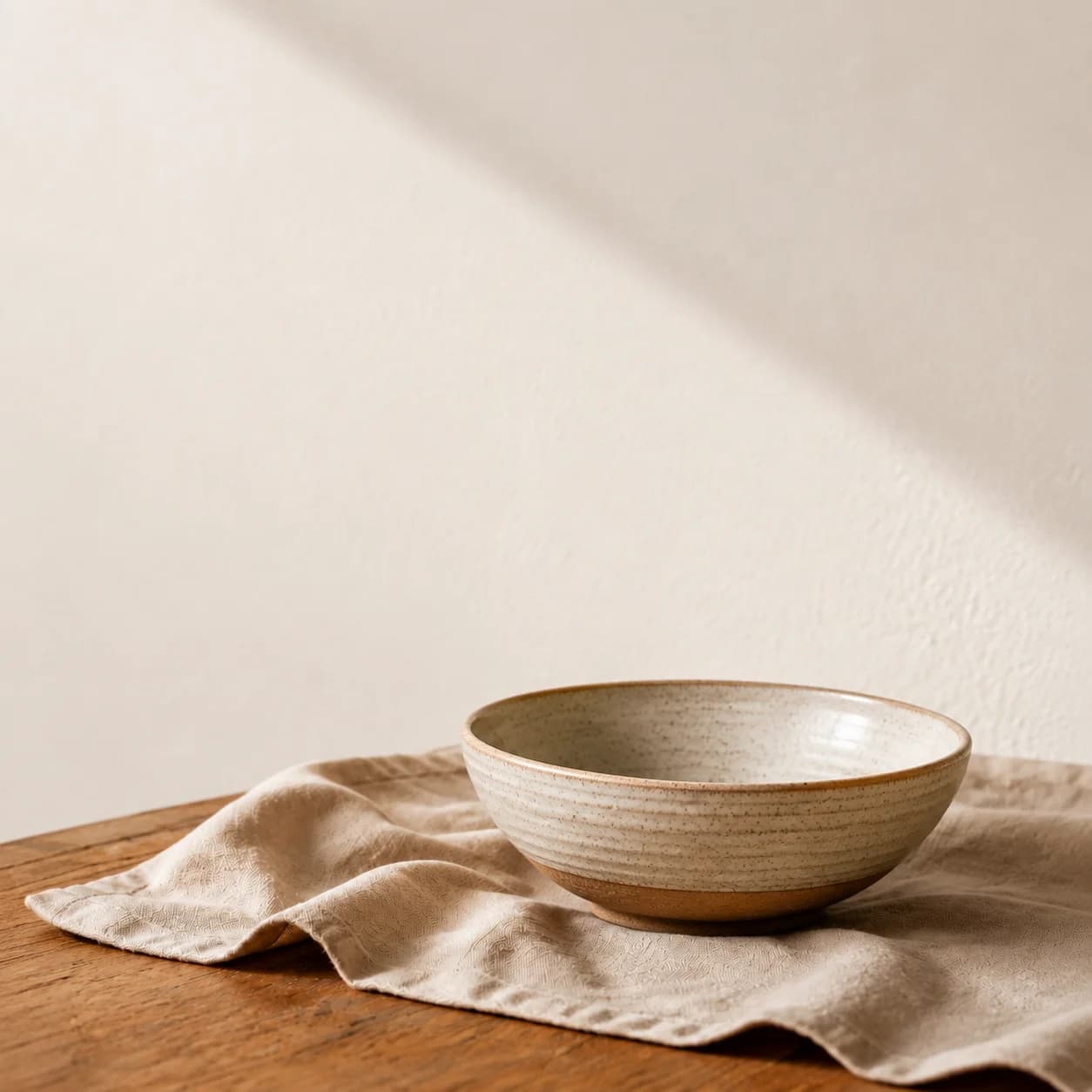
把参考图和一段简短的风格说明存好。生成几张后放在一起比一比,因为提示词里都写了“米色”,色调也未必一致。
针对具体问题修改
- 主体挡住标题:明确指出哪一块区域必须留空。
- 背景太杂:列出需要去掉的物品。
- 商品变了样:回到原始照片,缩小编辑范围,再核对一次。
- 风格不一致:使用同一张参考图和相同的光线要求。
- 越改越偏:回到最后一个可用版本。
发布前处理文件和替代文本
我们的四个 WebP 文件约为 189、89、71 和 80 KiB。这只是本次图片在所选压缩质量下的结果,别当成所有网站都该遵守的标准。压缩后检查边缘与质感,并设置图片宽高,让页面提前留出空间。
alt 是图片的替代文本,应简短描述画面内容,图注则可以解释这次修改的目的。纯装饰图片可以使用空 alt。Google 建议文件名有实际含义、图片与周围文字相关,并避免在 alt 中堆砌关键词。还要在正文中说明图片展示了什么变化,让看不到图片的读者也能理解。
发布前检查
- 将图片与真实标题和按钮放在同一页面中。
- 检查宽屏和窄屏。
- 真实商品必须与原始照片核对。
- 检查压缩效果和加载情况。
- 补充 alt 和图注,保存提示词与输入图片。